Diagrams & workflows
SIPOC Diagram: 7 Worked Examples and Editable Templates
Seven complete SIPOC examples for onboarding, refunds, hiring and approvals, with process boundaries, acceptance criteria and editable JSON, CSV and Mermaid files.
· · Diagram Studio Editorial
Direct answer
A SIPOC diagram defines a process through suppliers, inputs, process steps, outputs and customers. Set an observable start and finish first, then connect the required inputs to usable outputs and their recipients. Use SIPOC to agree scope; use a swimlane when you need ownership, decisions and rework paths.
What a SIPOC diagram shows
A SIPOC diagram is a high-level process map organized around suppliers, inputs, process, outputs and customers. It defines what enters a bounded process, what that process changes and who receives the result. Use it to agree scope before mapping detailed decisions or responsibilities. The AHRQ workflow toolkit describes this overview and recommends reviewing it with people who know the work.
The seven scenarios below are illustrative designs. Their acceptance criteria are examples to adapt with your own process owners; they are not external benchmarks or claims about how every organization should operate.
| Column | Record this | Avoid this |
|---|---|---|
| Suppliers | People, teams or systems providing inputs | Every stakeholder, whether or not they provide anything |
| Inputs | Information or material required to do the work | An activity such as “review request” |
| Process | A short sequence of verb-led activities | Every click, branch and exception |
| Outputs | A usable deliverable or recorded decision | A vague goal such as “happy customers” |
| Customers | Recipients who use each output | Only the paying customer |
Set the start and finish before filling the columns
Write the start trigger and end condition as observable events. “Refund request logged” and “decision notified and recorded” are testable boundaries. “Customer experience” is a department-sized theme, not a process boundary.
Then identify the process owner and exclusions. An exclusion prevents a legitimate neighboring process from quietly expanding the map: a refund may stop at the processor accepting a request, while bank settlement remains outside scope. ASQ’s SIPOC job aid also connects inputs and outputs with requirements and critical-to-quality needs.
The five columns are related sets, not five synchronized lists of equal length. The third supplier does not automatically provide the third input or receive the third output. The interface tables in each download make those connections explicit. For who performs each action and what happens after rejection, use a swimlane diagram after agreeing the scope.
Keep a process measure on the same boundary as the map. For the refund example, “time from request logged to decision notified” is inside scope, while “time until the customer’s bank posts the refund” includes an outside process. A fast decision also needs a correctness measure, such as whether the recorded amount and policy decision survive review. Choose the measure with the owner; the examples do not prescribe a target.
Choose one of the seven editable examples
| Example | Starts when | Ends when |
|---|---|---|
| 1. Customer onboarding | Signed order and named customer admin received | Customer admin accepts the first completed workflow |
| 2. Customer refunds | Refund request is logged with an order identifier | Final refund or denial notice is sent and the case is recorded |
| 3. Hiring for an approved role | Approved requisition enters recruiting | Candidate accepts an offer or the role closes, and evaluated candidates are notified |
| 4. Purchase approval | Requester submits a purchase request | Approved purchase order is issued or rejection is returned |
| 5. Supplier invoice payment | Supplier invoice is received in the payable queue | Payment instruction is accepted and remittance is sent, or a dispute is recorded |
| 6. Technical support escalation | First-line support identifies an issue beyond its authority or diagnostic scope | Support delivers the specialist response and records the customer disposition |
| 7. Editorial approval and publication | A scoped article brief is accepted for production | Published route and assets pass the publication check |
Download all seven SIPOC examples as editable JSON. Each example also has a CSV with explicit supplier-input-process-output-customer relationships and a Mermaid process sequence. No account is required to download the files.
Download all seven native editable canvas templates. The ZIP includes .excalidraw files and opening instructions. Every column card and label is a native editable object, rather than a flattened picture.
1. Customer onboarding
Boundary: Signed order and named customer admin received. Finish when customer admin accepts the first completed workflow. Owner: Customer success lead. Outside scope: Sales negotiation; ongoing support after acceptance.
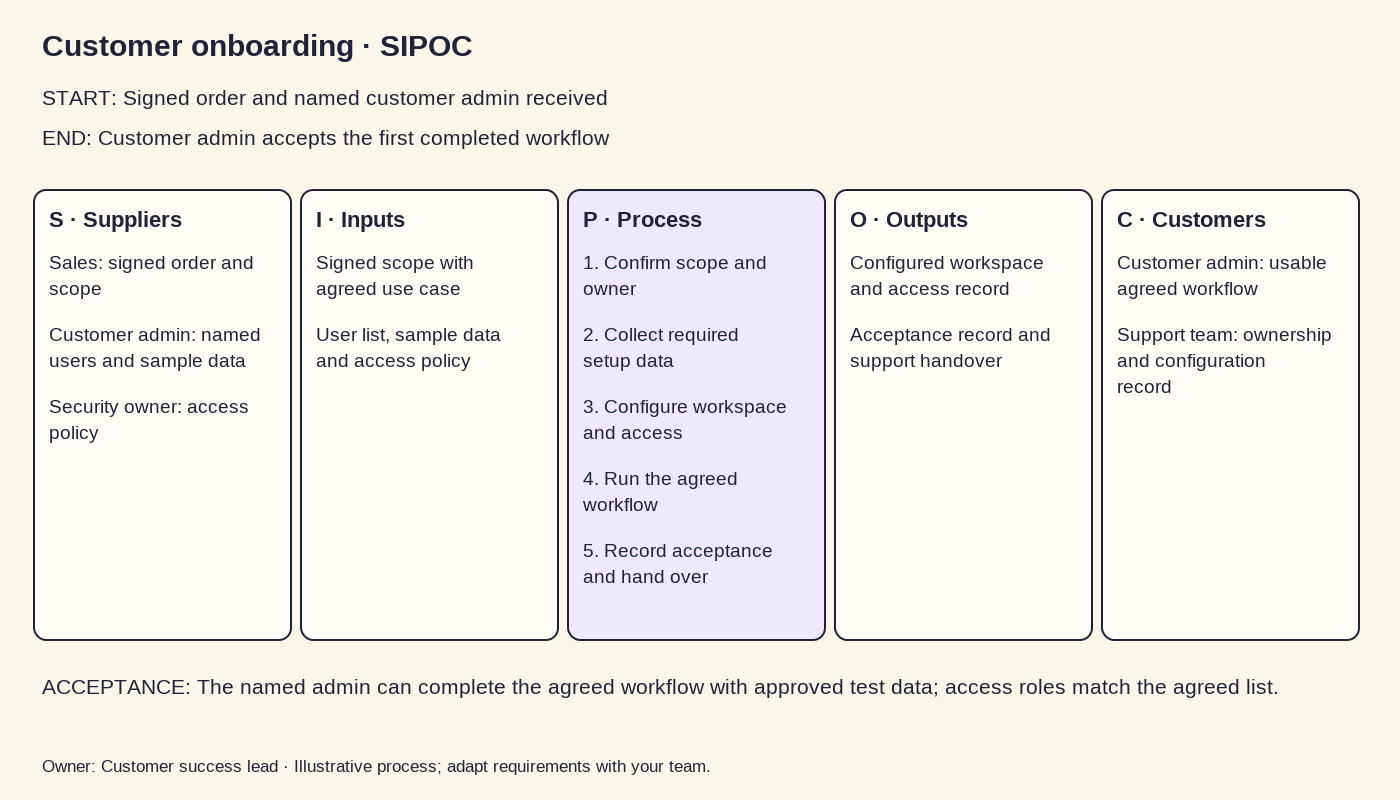
| SIPOC element | Worked content |
|---|---|
| Suppliers | Sales: signed order and scope; Customer admin: named users and sample data; Security owner: access policy |
| Inputs | Signed scope with agreed use case; User list, sample data and access policy |
| Process | Confirm scope and owner → Collect required setup data → Configure workspace and access → Run the agreed workflow → Record acceptance and hand over |
| Outputs | Configured workspace and access record; Acceptance record and support handover |
| Customers | Customer admin: usable agreed workflow; Support team: ownership and configuration record |
A login is an intermediate output. Ending at “account created” hides whether the customer can actually use the service.
2. Customer refunds
Boundary: Refund request is logged with an order identifier. Finish when final refund or denial notice is sent and the case is recorded. Owner: Support operations manager. Outside scope: Chargebacks; fraud investigations; bank settlement after the processor accepts a refund.
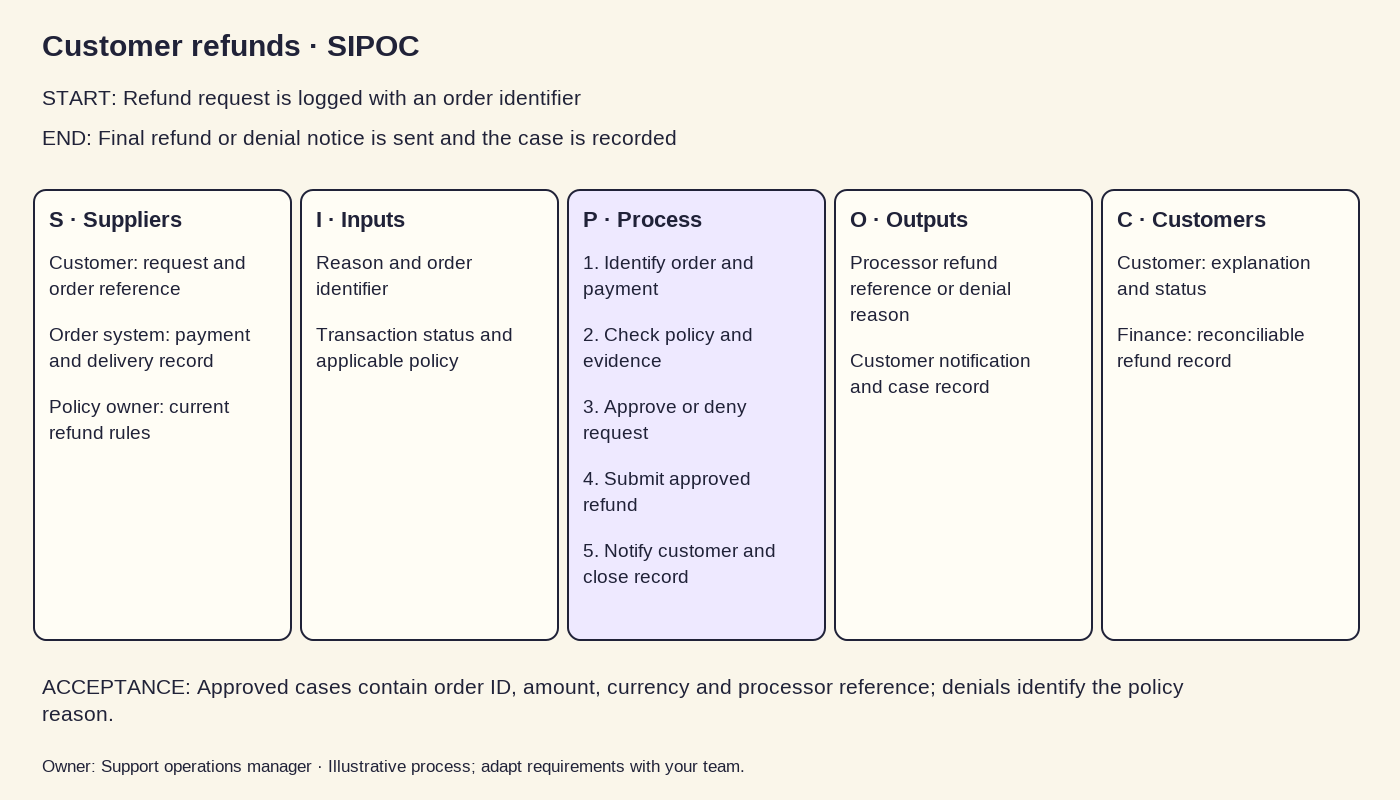
| SIPOC element | Worked content |
|---|---|
| Suppliers | Customer: request and order reference; Order system: payment and delivery record; Policy owner: current refund rules |
| Inputs | Reason and order identifier; Transaction status and applicable policy |
| Process | Identify order and payment → Check policy and evidence → Approve or deny request → Submit approved refund → Notify customer and close record |
| Outputs | Processor refund reference or denial reason; Customer notification and case record |
| Customers | Customer: explanation and status; Finance: reconciliable refund record |
“Refund complete” is ambiguous. This scope ends at submitted refund plus notification, not at funds arriving at the bank.
3. Hiring for an approved role
Boundary: Approved requisition enters recruiting. Finish when candidate accepts an offer or the role closes, and evaluated candidates are notified. Owner: Recruiting lead. Outside scope: Headcount approval before recruiting; employee onboarding after acceptance.
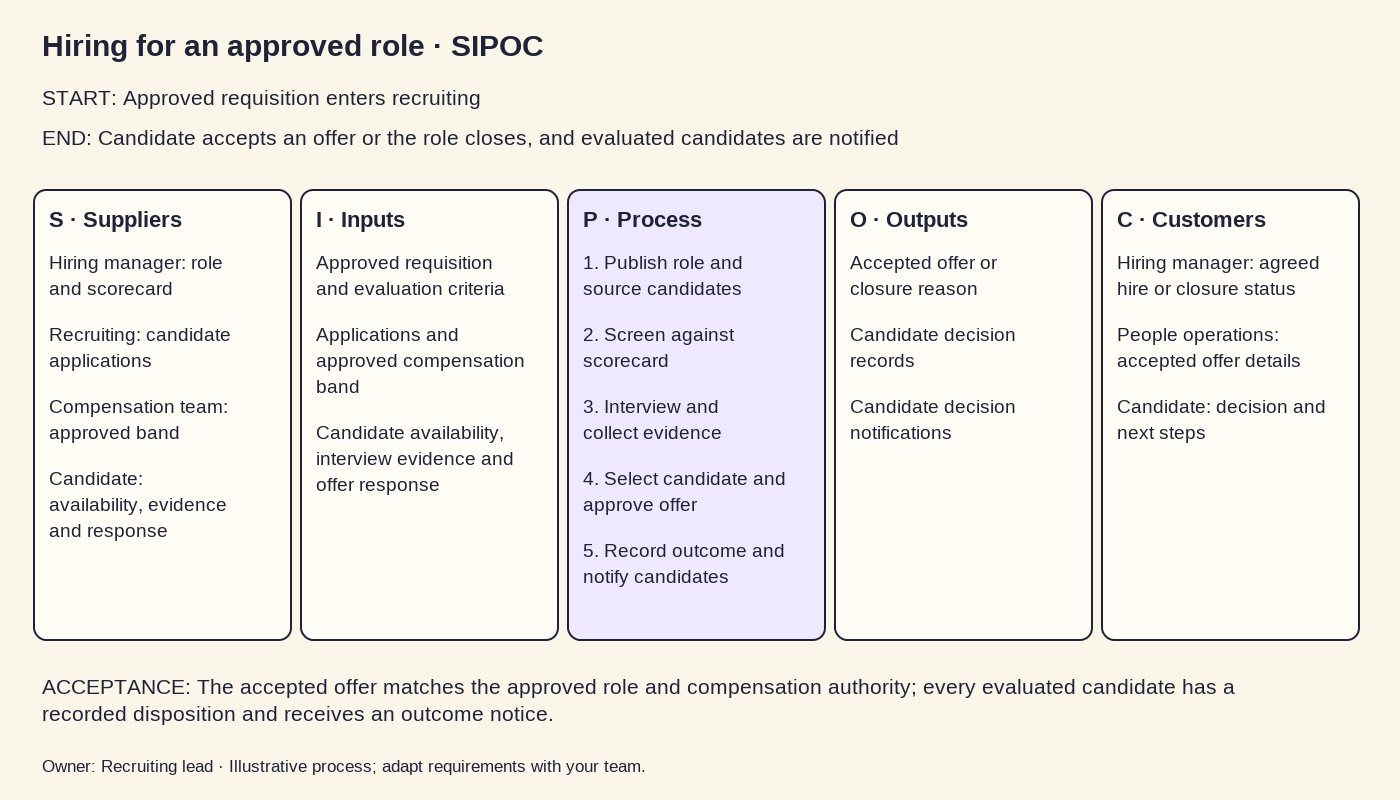
| SIPOC element | Worked content |
|---|---|
| Suppliers | Hiring manager: role and scorecard; Recruiting: candidate applications; Compensation team: approved band; Candidate: availability, evidence and response |
| Inputs | Approved requisition and evaluation criteria; Applications and approved compensation band; Candidate availability, interview evidence and offer response |
| Process | Publish role and source candidates → Screen against scorecard → Interview and collect evidence → Select candidate and approve offer → Record outcome and notify candidates |
| Outputs | Accepted offer or closure reason; Candidate decision records; Candidate decision notifications |
| Customers | Hiring manager: agreed hire or closure status; People operations: accepted offer details; Candidate: decision and next steps |
The candidate supplies availability and evidence and also receives an outcome. A stakeholder can appear on both sides.
4. Purchase approval
Boundary: Requester submits a purchase request. Finish when approved purchase order is issued or rejection is returned. Owner: Procurement lead. Outside scope: Goods receipt; invoice payment; supplier performance management.
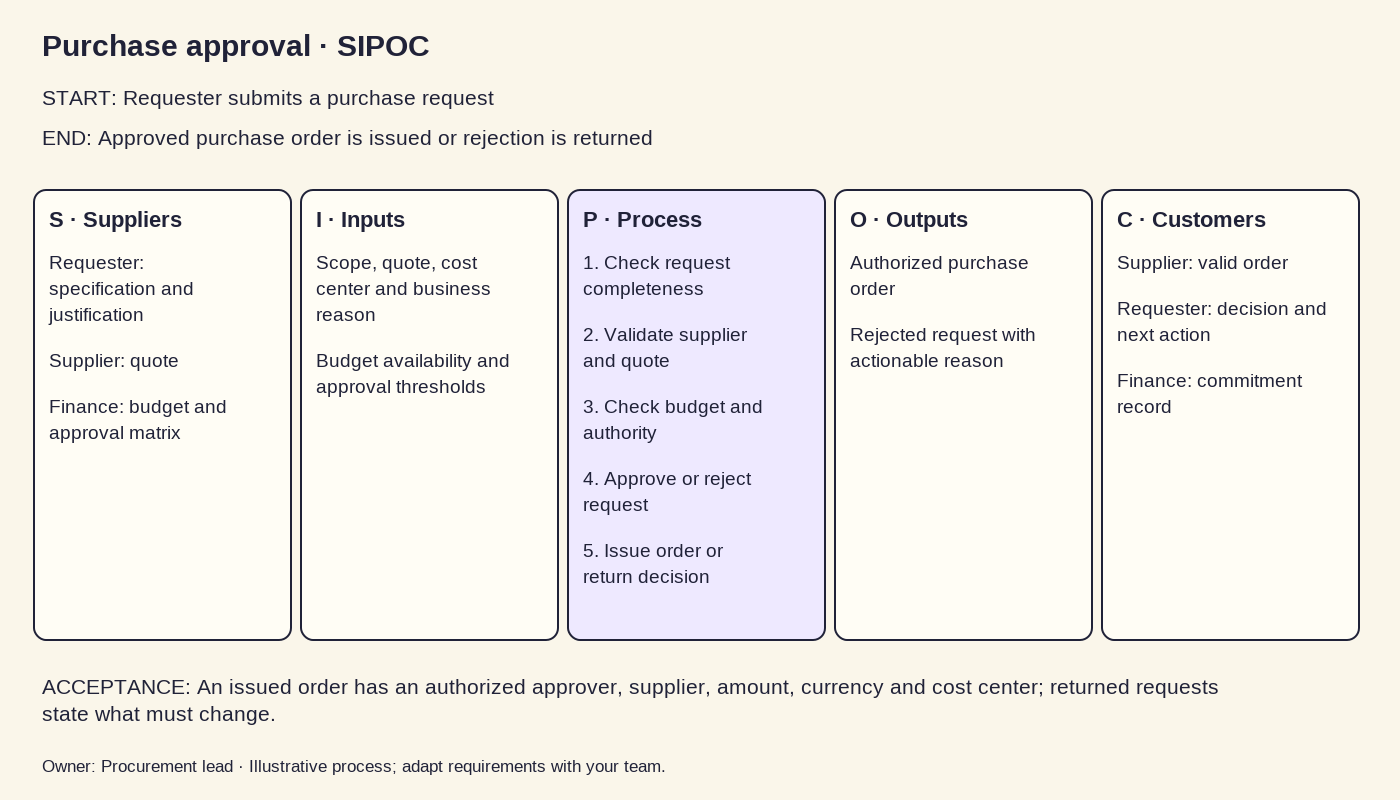
| SIPOC element | Worked content |
|---|---|
| Suppliers | Requester: specification and justification; Supplier: quote; Finance: budget and approval matrix |
| Inputs | Scope, quote, cost center and business reason; Budget availability and approval thresholds |
| Process | Check request completeness → Validate supplier and quote → Check budget and authority → Approve or reject request → Issue order or return decision |
| Outputs | Authorized purchase order; Rejected request with actionable reason |
| Customers | Supplier: valid order; Requester: decision and next action; Finance: commitment record |
Approval is an action. The output is a recorded authorized order or decision that the next party can use.
5. Supplier invoice payment
Boundary: Supplier invoice is received in the payable queue. Finish when payment instruction is accepted and remittance is sent, or a dispute is recorded. Owner: Accounts payable manager. Outside scope: Purchase approval; supplier bank-account change verification; bank settlement.
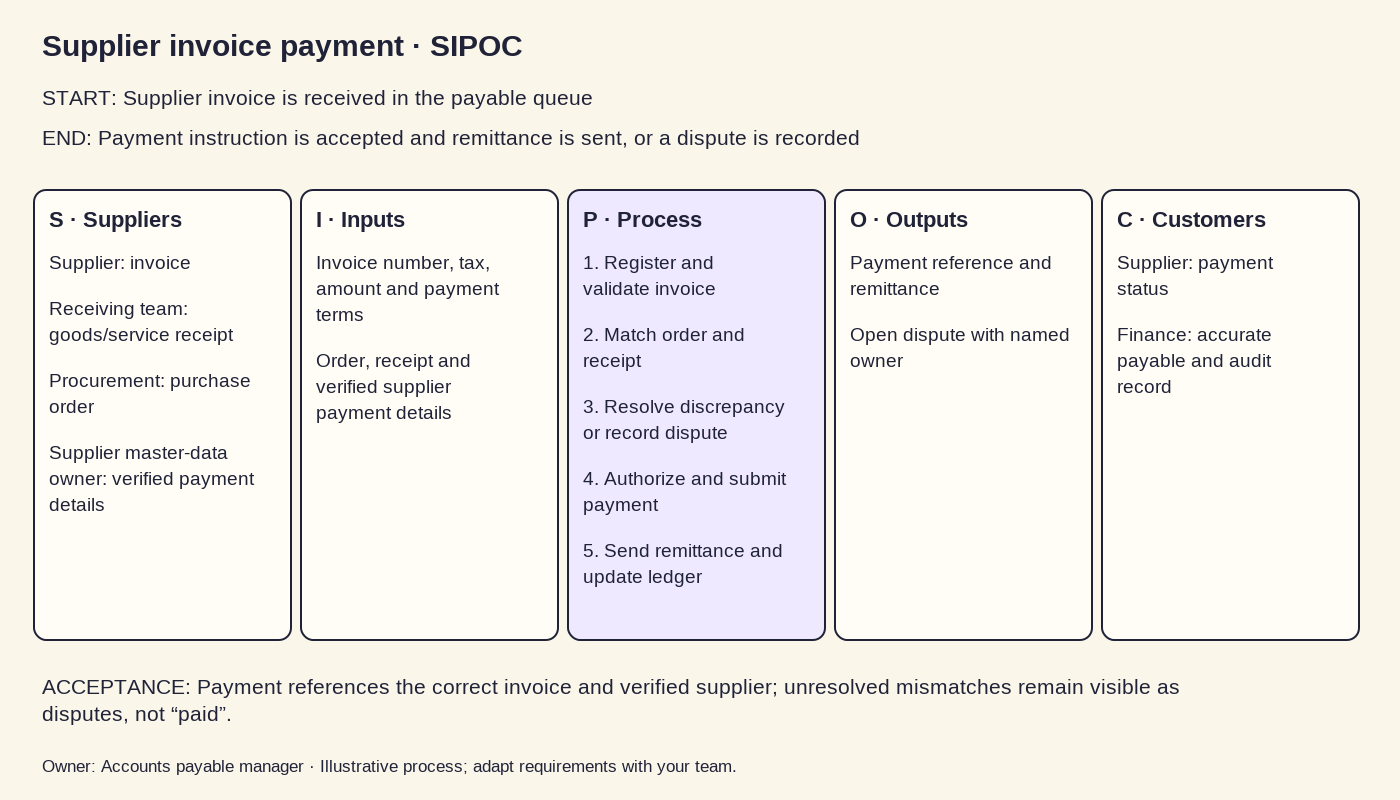
| SIPOC element | Worked content |
|---|---|
| Suppliers | Supplier: invoice; Receiving team: goods/service receipt; Procurement: purchase order; Supplier master-data owner: verified payment details |
| Inputs | Invoice number, tax, amount and payment terms; Order, receipt and verified supplier payment details |
| Process | Register and validate invoice → Match order and receipt → Resolve discrepancy or record dispute → Authorize and submit payment → Send remittance and update ledger |
| Outputs | Payment reference and remittance; Open dispute with named owner |
| Customers | Supplier: payment status; Finance: accurate payable and audit record |
Supplier-bank changes need their own controlled process. Including them casually in invoice handling can hide a separate approval risk.
6. Technical support escalation
Boundary: First-line support identifies an issue beyond its authority or diagnostic scope. Finish when support delivers the specialist response and records the customer disposition. Owner: Support lead. Outside scope: Full software incident response; engineering delivery after a separately accepted bug ticket.
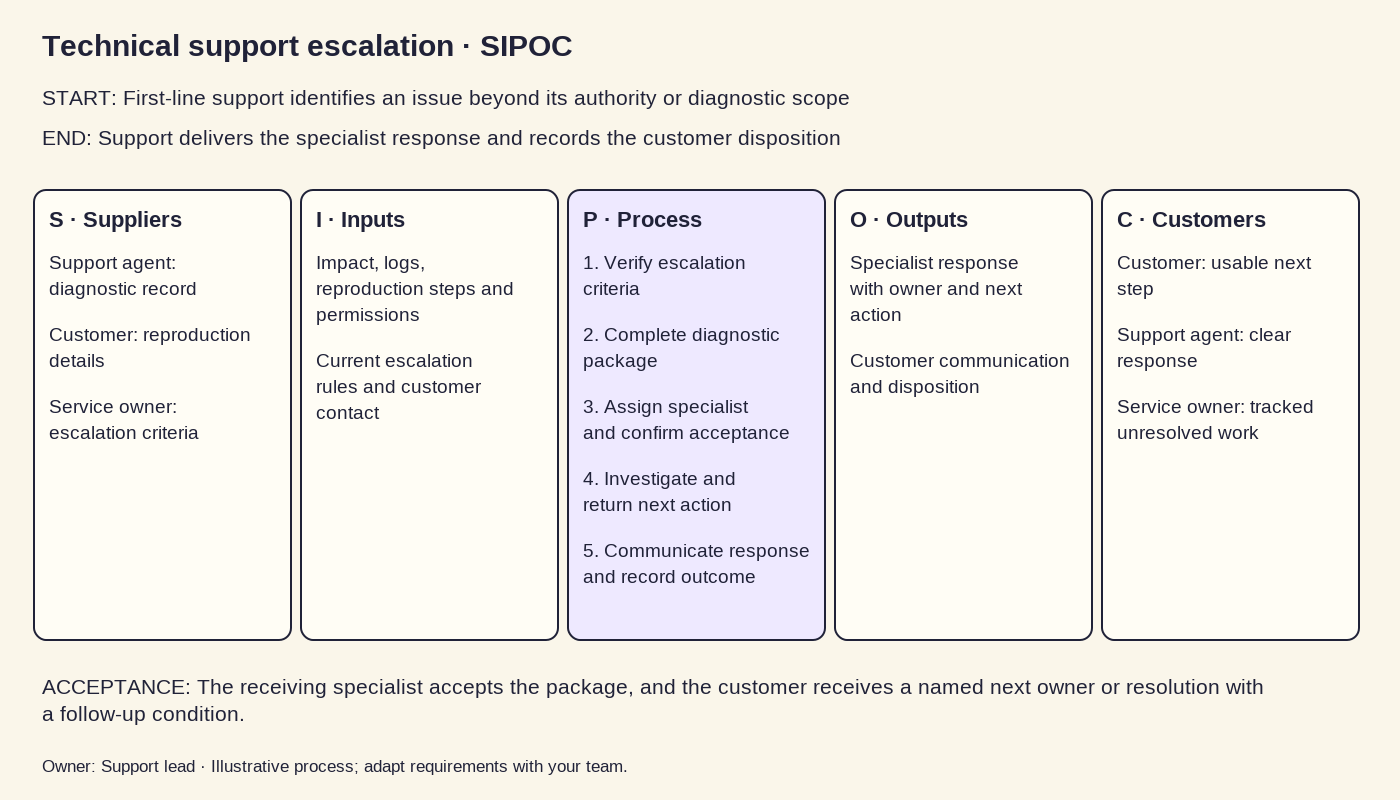
| SIPOC element | Worked content |
|---|---|
| Suppliers | Support agent: diagnostic record; Customer: reproduction details; Service owner: escalation criteria |
| Inputs | Impact, logs, reproduction steps and permissions; Current escalation rules and customer contact |
| Process | Verify escalation criteria → Complete diagnostic package → Assign specialist and confirm acceptance → Investigate and return next action → Communicate response and record outcome |
| Outputs | Specialist response with owner and next action; Customer communication and disposition |
| Customers | Customer: usable next step; Support agent: clear response; Service owner: tracked unresolved work |
Forwarding a ticket is not the end. The map should state who accepts it and how a response gets back to the customer.
7. Editorial approval and publication
Boundary: A scoped article brief is accepted for production. Finish when published route and assets pass the publication check. Owner: Managing editor. Outside scope: Keyword research before brief acceptance; ongoing performance measurement.
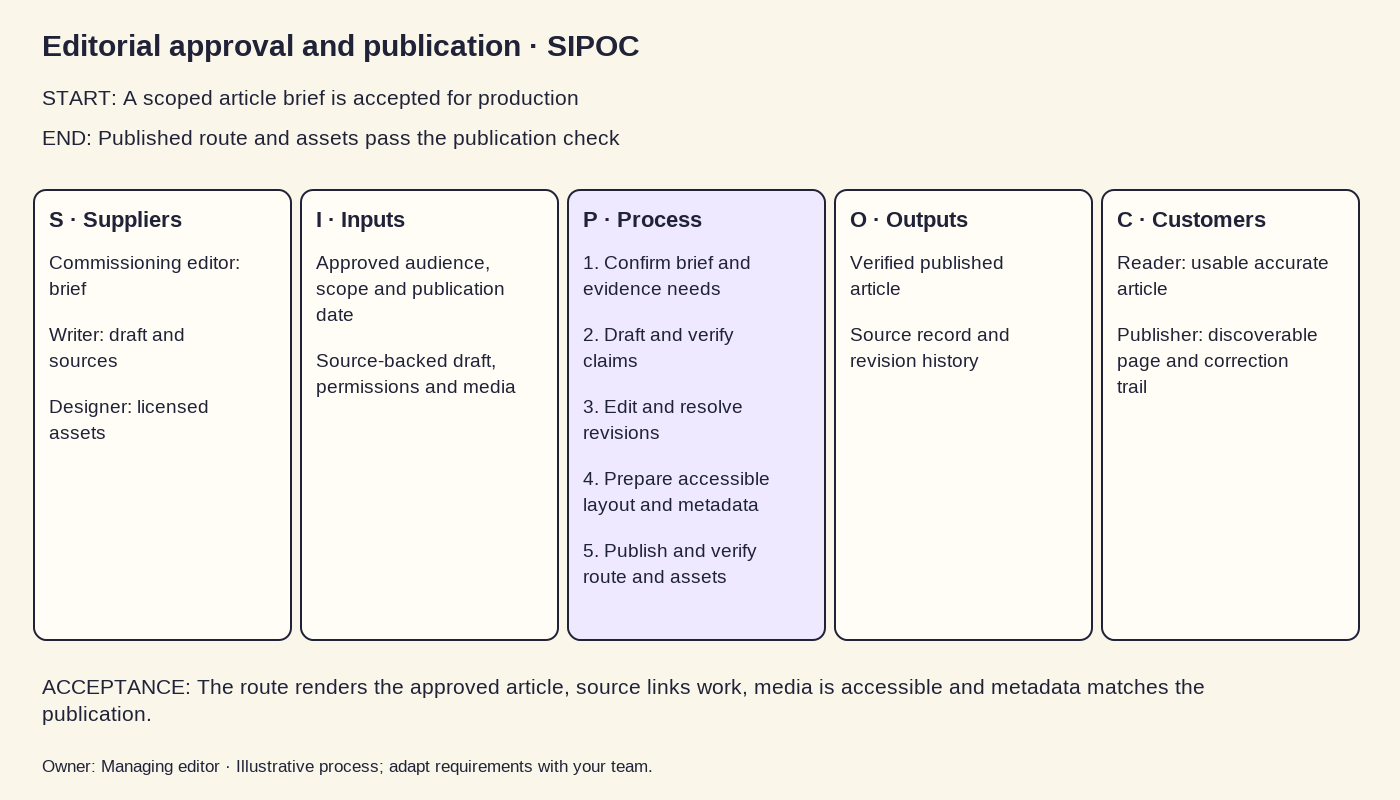
| SIPOC element | Worked content |
|---|---|
| Suppliers | Commissioning editor: brief; Writer: draft and sources; Designer: licensed assets |
| Inputs | Approved audience, scope and publication date; Source-backed draft, permissions and media |
| Process | Confirm brief and evidence needs → Draft and verify claims → Edit and resolve revisions → Prepare accessible layout and metadata → Publish and verify route and assets |
| Outputs | Verified published article; Source record and revision history |
| Customers | Reader: usable accurate article; Publisher: discoverable page and correction trail |
A successful upload is not a publication check. The scope finishes at the reader-facing route, after layout and asset verification.
Build your own SIPOC in a working session
- Ask the process owner to name the question: scope, a weak input, an unusable output or a disputed boundary.
- Agree the trigger, completion evidence and exclusions. Write a real recent case beside the map to test scope.
- Sketch a few high-level activities. Keep the process small enough that the group can explain the transformation in one breath.
- List the outputs and the people or systems that use them. Give material outputs a concrete acceptance criterion.
- Work backward to the necessary inputs and their suppliers. Connect interfaces explicitly where several suppliers or customers exist.
- Walk the recent case through the map with the people who supply inputs, do the work and receive outputs. Correct omissions before treating the map as agreed.
The editable JSON preserves scope, owner, acceptance criteria and interface relationships. Open it in a text editor or use it as structured source material in your diagramming workflow. CSV opens in common spreadsheet apps; Mermaid contains the high-level process sequence, not the full five-column map. These formats serve different purposes, so keep the JSON as the complete record.
For direct canvas editing, open a downloaded .excalidraw file in an editor that supports that format. Each column groups its rectangle and text; ungroup it when you need to rearrange individual labels. Read the opening instructions. Compatibility with AnimateDiagram’s import flow has not been tested.
Catch the mistakes that make a SIPOC unhelpful
| Mistake | Why it matters | Correction |
|---|---|---|
| No observable endpoint | People cannot agree whether a case is done | Name the record or accepted deliverable that ends the process |
| Suppliers confused with inputs | Responsibility and material become mixed | Write “finance” under supplier and “approved budget” under input |
| Only the external customer listed | Internal receivers and their requirements disappear | Name finance, support or downstream systems where they use outputs |
| Every exception drawn in the process column | The overview becomes a detailed flowchart | Keep the major transformation here; document branches in a swimlane |
| An aspiration used as an output | The next process cannot accept or reject it | Replace “good onboarding” with an accepted workspace and handover |
| One row assumed to be a complete value stream | Unrelated lists imply false relationships | Use explicit interface rows when the connections matter |
A useful last check is to remove the process name and ask a colleague to infer it from the trigger, activities and outputs. If they cannot, tighten the boundary or replace vague nouns. Save the agreed version with an owner and review date; the map should change when the process changes.