Creative tools & workflows
Claude Code vs Cursor: Build, Debug, Review, and Cost Compared
Claude Code vs Cursor: surfaces, permissions, testing, rollback, and subscription vs usage costs. Official docs reviewed Nov 2026; no performance winner claimed.
· · Diagram Studio Editorial
When a developer or technical team chooses between Claude Code and Cursor for work in an existing repository, the question usually starts with which model writes better code. Neither company publishes a head-to-head benchmark, and no controlled run was performed for this article, so that question has no honest answer here. What the official documentation does support is a comparison of workflow structure: where each tool runs, how it learns the repository, who approves each change, what can be inspected and rolled back, and how the work is billed.
Those variables determine whether an agent fits your team more than a model-versus-model verdict would. The short version: both tools now span terminal, editor, and browser workflows, both offer read-only exploration before edits, and the deciding differences are approval behavior and billing structure. Match those to your team, then evaluate one scoped task on your own repository before committing a workflow.
Direct answer
Claude Code and Cursor both work across terminal, editor, and browser surfaces and offer read-only exploration before edits. They differ in control structure and billing. Claude Code enforces permissions inside the application and is included in Claude Pro, Max, and Ultra subscriptions; API-authenticated usage is token-billed. Cursor gates models by plan tier, uses a weekly included pool on current plans, and adds Ask, Plan, and Debug modes plus checkpoint restore. No performance verdict is possible from official sources; test a scoped task on your own repository.
Where the Work Runs
The familiar framing pitted Claude Code as a terminal tool against Cursor as an editor. Neither description matches the current products. Claude Code runs in the terminal, in VS Code and JetBrains extensions, in a desktop app, and in a browser (overview). Most surfaces accept a Claude subscription or Anthropic Console sign-in; terminal, VS Code, and JetBrains also support third-party providers. Cursor is an editor, and it also includes terminal integration, a standalone CLI that works without opening the editor, and browser-based Cloud Agents (terminal, agent documentation). The first choice is therefore where the team prefers to work and where credentials should live.
| Surface | Claude Code | Cursor |
|---|---|---|
| Terminal | Native product in the shell | Standalone CLI with Ask, Plan, and Agent modes, outside the editor |
| Editor | VS Code and JetBrains extensions | The editor itself, with terminal integration and a diff view |
| Desktop app | Documented surface | Not stated in the reviewed sources |
| Browser / cloud | Documented browser surface | Cloud Agents run from a browser; start at Premium on current plans |
| Sign-in | Claude subscription or Anthropic Console on most surfaces; third-party providers for terminal, VS Code, JetBrains | Entitlements follow plan generation; current and legacy plans differ |
Processing and storage locations are not specified for every surface. If your team has data-residency requirements, verify those details separately before routing source code through a new interface.
Where the tool runs shapes how it first sees your repository.
How Each Tool Gets Repository Context
Both vendors describe broad codebase understanding as a core capability. Treat that as a capability statement; neither source measures it. What is verifiable is that both tools gather context before proposing changes.
Claude Code reads a codebase, edits files, runs commands, and connects development tools (overview). Before implementation, its plan mode explores with read-only operations, so an unfamiliar repository can be inspected without granting write access (permissions). The VS Code extension also exposes references and plan review, so you can see which files or symbols the agent pulled into its plan and correct a wrong interpretation before any write.
Cursor's Agent searches code, edits files, and runs terminal commands (agent documentation). Its Ask mode is read-only, and Plan implements after you approve. Read-only inspection exists on both sides, and it precedes edits in both.
The workflow in this article assumes standard local foreground sessions in your own checkout. That qualifier matters because Cursor's Cloud Agents do not run against your ordinary working tree: they use isolated per-agent virtual-machine workspaces with cloned or checked-out repository state (cloud security). For remote runs, verify which branch and commit were checked out, how dependencies are installed, and what secrets or runtime inputs are available. Claude Code's browser surface similarly has its own environment; confirm what it executes against before trusting it with uncommitted work.
Before authorizing any edit, inspect what the tool reports: file references, the proposed plan, and a summary of what it says it understood. If that picture is wrong, correct the plan rather than letting the agent proceed on a faulty map. You can test this in your own repository by opening Claude Code in plan mode or Cursor in Ask and checking what each reports before a write is permitted. That is a proposed exercise, not an executed result.
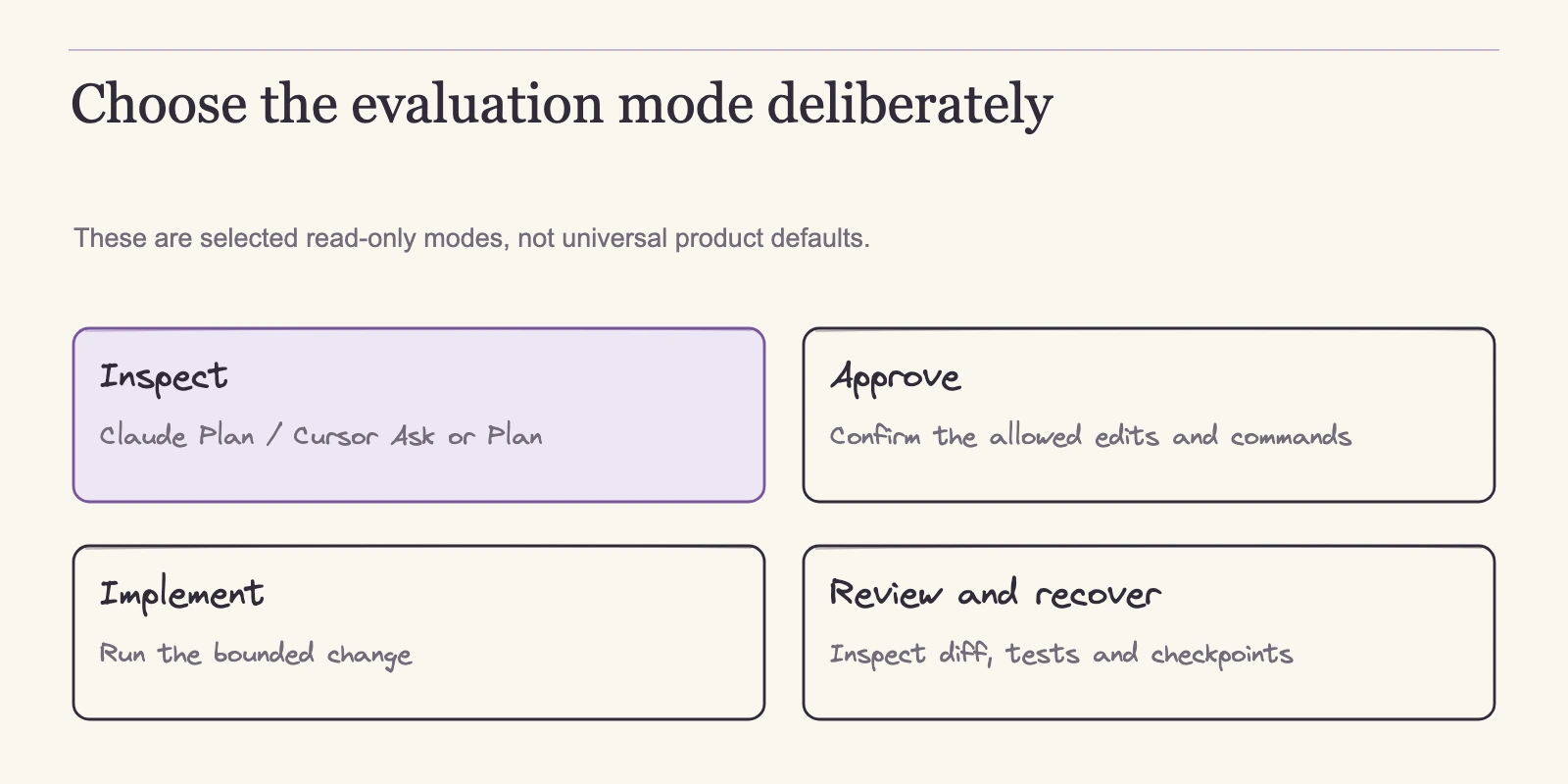
Exploration is read-only. Approval decides what actually changes.
Who Approves Before Anything Changes
Both products enforce approvals through configurable modes; neither relies on the model's willingness to behave.
Claude Code enforces permissions inside the application, so instructions in prompts or CLAUDE.md cannot override them (permissions). In manual mode, the tool generally permits in-scope file reading while asking for writes and many shell commands. Plan mode restricts activity to read-only exploration before implementation. Other modes change the approval behavior, so the effective rule depends on the current mode and configuration, not on a single universal prompt.
Cursor names modes by the job they serve: Ask is read-only, Plan implements after approval, and Debug gathers runtime evidence (agent documentation). Terminal approval settings add another layer. Auto-review can allow allowlisted, sandboxed, or classifier-approved commands to run automatically; Allowlist can run eligible configured commands; Run Everything is a broader setting but not the only route to automatic execution (terminal). Whether a given command runs without a prompt depends on these settings and on sandbox support.
| Mode | What it may do | What still needs a person |
|---|---|---|
| Claude Code plan mode | Read-only exploration | Approving the plan |
| Claude Code manual mode | In-scope reading; proposes edits | Approving writes and many shell commands |
| Cursor Ask | Read-only answers | Deciding the next step |
| Cursor Plan | Implements after approval | Approving the plan; reviewing the diff |
| Cursor Debug | Gathers runtime evidence | Choosing what to examine; command approvals still apply |
Debug is a job mode, not an approval gate; the command approvals that govern it come from the terminal settings. The practical tradeoff is friction. Safer defaults mean more prompts, and a team that wants fewer interruptions adjusts settings rather than telling the agent to ignore safeguards.
Approval becomes concrete when attached to a real change, which is what a targeted bug fix shows.
A Targeted Bug Fix Through Both Workflows
Take one concrete task: a payments module in an existing repository has a failing unit test. A developer starts from a clean Git state and gives each agent the same scoped instruction: explain why the test fails, propose a fix, implement it, and rerun the test. This is a proposed illustration of the documented flows, not a claim that either fix succeeds.
The Claude Code path:
- Start in plan mode. The agent reads the codebase read-only, and the VS Code extension surfaces references and plan review, so a wrong interpretation can be corrected before any write.
- Approve the plan. Implementation then runs under the active permission mode. In manual mode, writes and many shell commands prompt for approval, so each prompt is a checkpoint.
- Review the inline diff per file before accepting edits.
- Run the failing test. The command goes through the permission model; in manual mode it typically surfaces as an approval prompt unless rules preapprove it. Whether it passes is something your own checkout verifies.
The Cursor path:
- Start in Ask mode to inspect the code without changing files.
- Move to Plan mode, review the proposal, then approve implementation.
- Review the changes in the diff view.
- Use Debug mode if you need runtime evidence about what is happening.
- Run the targeted test from the integrated terminal under the approval settings described earlier. Whether it runs unattended depends on those settings, not on a default.
A plausible diff is a proposal. The workflow is complete only when the targeted test passes locally, every changed line is reviewed and understood, the Git state is clean or intentionally committed, and the approval prompts appeared where expected. If any of these checks fail, the fix is not done.
A single failing test exercises the basic loop. A change that spans many files stresses context handling, delegation, and review scope.
When the Change Spans Many Files
Three risks scale with the size of a change. Context drift happens when an agent loses sight of the original task while moving across modules. Review burden grows because every additional diff is something a person must read. Accidental scope appears when a fix pulls in unrelated refactors. These are workflow risks, not vendor statistics, and the controls below exist to contain them.
Consider a proposed feature: the payments module gains a field that touches the service, the data layer, and three views. For the sake of this example, we are assuming that spans five files; the actual count comes from your repository's structure. A reviewer must understand each edit in relation to the others.
Both products support delegation for wide changes. Claude Code includes built-in and custom subagents that run in separate contexts with their own tool access and permissions; delegation can happen automatically or on request, subagents return results to the main conversation, and they draw on the same usage allowance (sub-agents). Cursor's agent can delegate to subagents, each with a separate context (agent documentation). In both cases, subagents multiply what must be examined: each produces edits that land in the same review. Budget review time per subagent, not per top-level request.
Wide work also affects usage. Claude Code's cost documentation notes that long sessions, extra tools, and parallel agents can increase token consumption (costs). For subscription users that draws down included allowance; for API-billed accounts it raises the bill. Factor that into the plan before work starts.
Before approving a multi-file change, a reviewer should be able to answer four questions:
- Which files will change? The complete list, confirmed against the plan.
- Why does each diff exist? Every change maps to a stated requirement, not to agent enthusiasm.
- Which tests must pass? Name the exact set that corresponds to the change.
- Where is the rollback point? Know what will be reverted if the plan fails.
This checklist is a workflow control the team owns. Neither vendor promises that a large change is correct simply because it was generated.
Once edits exist, the next gate is verification. Both tools run tests the way a developer does, as terminal commands, and the difference that matters is what each tool's approval model permits.
Running Tests and Gathering Runtime Evidence
Neither source describes a native test runner; both describe tests running as terminal commands. The comparison therefore hinges on command approval.
Claude Code gates test execution through its permission model. In manual mode, the agent asks before writes and many shell commands (permissions), so a test run typically appears as an approval prompt rather than a silent background step. Permission rules may preapprove specific commands. Plan mode is read-only for source changes and permits only read-only shell exploration under the current mode's rules; any command that would change the repository runs only when the active mode and permission rules allow it. If your evaluation uses a stricter configuration, record that in the worksheet.
Cursor routes commands through terminal approval settings. Auto-review can allow allowlisted, sandboxed, or classifier-approved commands to run automatically, and Allowlist runs eligible configured commands; automatic execution therefore does not depend solely on Run Everything (terminal). Cursor names Debug as the mode for gathering runtime evidence (agent documentation); Claude Code's documentation describes no named runtime-evidence mode.
| Task | Claude Code | Cursor |
|---|---|---|
| Run the project test suite | Terminal command under the permission model; manual mode typically prompts | Terminal command under approval settings; Auto-review or Allowlist may run eligible commands automatically |
| Runtime-evidence mode | None documented | Debug |
| Who confirms the result | You, by verifying locally | You, by verifying locally |
Either way, output is meaningful only after you read it and check it against your local checkout. Keep the operational controls consistent. Give the agent a narrow approval scope so a test command cannot silently expand into other actions. Keep secrets out of the conversation context. Run the exact tests that correspond to the change rather than the whole suite on every iteration. Match local runs to what CI executes, so a green local result means the same thing in review. Passing tests confirm behavior; they do not confirm intent.
Green tests still leave the review question open.
Reviewing Diffs and Rolling Back
Tests verify behavior; review verifies intent. Both products give you something to inspect after edits, and both give you a bounded way to undo them. Neither replaces Git.
The Claude Code VS Code extension bundles inline diffs, references, plan review, and conversation history (overview). You see the edit beside the code it touches, revisit the plan that produced it, and scroll the conversation that led there. That is the visible record the interface exposes: the diff, the referenced inputs, the plan, and the transcript. It is not a semantic dependency graph, and it does not expose private reasoning.
Claude Code also tracks file edits and supports /rewind (checkpointing). The menu can restore code and conversation together, conversation only, or code only. There are limits: shell-only changes and some subagent or external edits are not fully covered, snapshots have retention limits, and this is not a Git replacement.
Cursor concentrates edit review in the diff view (agent documentation). Checkpoint restore reverts files to a saved state, but not chat messages, and it is not a substitute for Git backups. Plans are saved as well; they can be reviewed, edited, and moved to the workspace for later reference (plan mode). Conversation search finds past agent transcripts and lets you search inside a conversation (conversation search).
Both tools therefore preserve a reviewable trail and a recoverable file state; the boundaries differ. Claude Code can restore tracked code and conversation separately but misses some external changes. Cursor restores files without chat state, while plans and transcripts survive separately. Neither should replace committing to Git early and often. A checkpoint helps when the last edit was wrong; it cannot supply a better plan when the plan itself was wrong.
The workflow controls decide whether a change is safe. The budget decides whether the workflow is sustainable.
What It Costs: Subscriptions, Usage, and Model Access
Cost comparisons fail when they mix billing systems. Claude Code rides inside Claude subscriptions, while API- and provider-authenticated usage is token-billed. Cursor's current plans use a weekly included pool; legacy accounts use separate monthly pools. Numbers from different ledgers look comparable and are not. The pricing and usage pages below were reviewed on 4 November 2026, and entitlements can vary by account generation, rollout, region, and authentication.
Claude Pro costs $20 billed monthly or $200 billed up front annually, shown as $17/month on the pricing page. Max is $100/month, Ultra $200/month, and taxes are excluded (pricing). Claude Code is included in Pro, Max, and Ultra, is not shown for Free, and every plan carries usage limits. The current page lists Max at 5x Pro usage and Ultra at 10x weekly Pro usage, with the five-hour session limit waived only for verified Ultra accounts. These labels differ from older Max-5x/Max-20x tables, so check the live page before committing a budget.
Subscription users draw on included plan usage. API- or provider-authenticated sessions are token-billed, and the local session API estimate shown in the costs documentation is not a subscription bill (costs). Consumption varies with model choice, codebase and context size, concurrency, automation, and extra tools. A scoped session plan plus regular /usage review predicts cost better than any fixed price-per-prompt formula. For subscription users who exceed their included plan allowance, the costs documentation describes adding usage credits; that is a configured continuation path, not an automatic charge. API- or provider-authenticated usage remains token-billed and is settled on that billing ledger, not from the subscription's credit balance.
Cursor's current plans are Free at $0, Plus $8, Premium $30, Super $100, and Ultra $200 monthly, with taxes and fees excluded (pricing). Plus is limited to Grok models. Premium and above allow third-party models billed separately at API list price, and cloud agents and automations start at Premium in the current comparison table. The page lists monthly prices; no annual billing option is documented in the reviewed sources.
Usage terms depend on which plan generation the account holds. Current plans use a weekly included pool shared across Cursor and Grok products, and third-party models are not included (usage limits). Legacy plans use separate monthly pools for Cursor models and Other models. Unused included usage does not roll over in either system, current plans exclude Max Mode, and the exact weekly dollar pools are not shown on the reviewed pages. Check the account generation before doing plan math. Current-plan users can continue through prepaid credit, wait for the weekly reset, or upgrade; legacy users can enable on-demand usage.
Like Claude's usage credits, these are supported continuation paths that must be configured or chosen, not default automatic charges. API-key billing and team surcharges carry their own conditions.
| Plan | Monthly price | Key documented constraints |
|---|---|---|
| Claude Pro | $20 ($200/year up front, shown as $17/month) | Claude Code included; plan usage limits; taxes excluded |
| Claude Max | $100 | Claude Code included; 5x Pro usage |
| Claude Ultra | $200 | Claude Code included; 10x weekly Pro usage; five-hour limit waived for verified accounts |
| Cursor Plus | $8 | Grok models only |
| Cursor Premium | $30 | Third-party models billed at API list price; cloud agents and automations start here |
Free, Super, Ultra, and legacy Cursor plans are covered in the text where they matter.
For one developer on current plans, billed monthly unless noted, with taxes excluded, no paid continuation, and no team surcharges:
- Claude Pro annual: $200 up front versus $20 x 12 = $240 monthly. The annual prepay saves $40 per year, provided the workflow fits the included usage.
- Cursor Plus: $8 x 12 = $96 per year, but only Grok models are available. Adding a non-Grok model means Premium at $30 x 12 = $360 per year, plus third-party API fees at list price.
The pairing is fair only when the model constraint sits next to the price. Cursor Plus at $8 looks cheaper than Claude Pro at $20 because it buys a narrower model surface. A team that needs models beyond Grok should compare Claude Pro against Cursor Premium plus API billing: before third-party API fees enter the ledger, that pair stands at $20 against $30 per month. A team that can work inside Grok gets a legitimate low-cost entry, provided the weekly pool volume matches its workload.
The pricing and usage pages do not publish an exact included request count for either pool, so a volume comparison cannot be made between them. The reliable comparison is structure: what is included, what is billed separately, and which model surfaces each tier opens. For either tool, a subscription price is meaningful only if usage fits the included allowance.
That structure is what an evaluation on your own repository should record.
Evaluating Both Tools on Your Own Repository
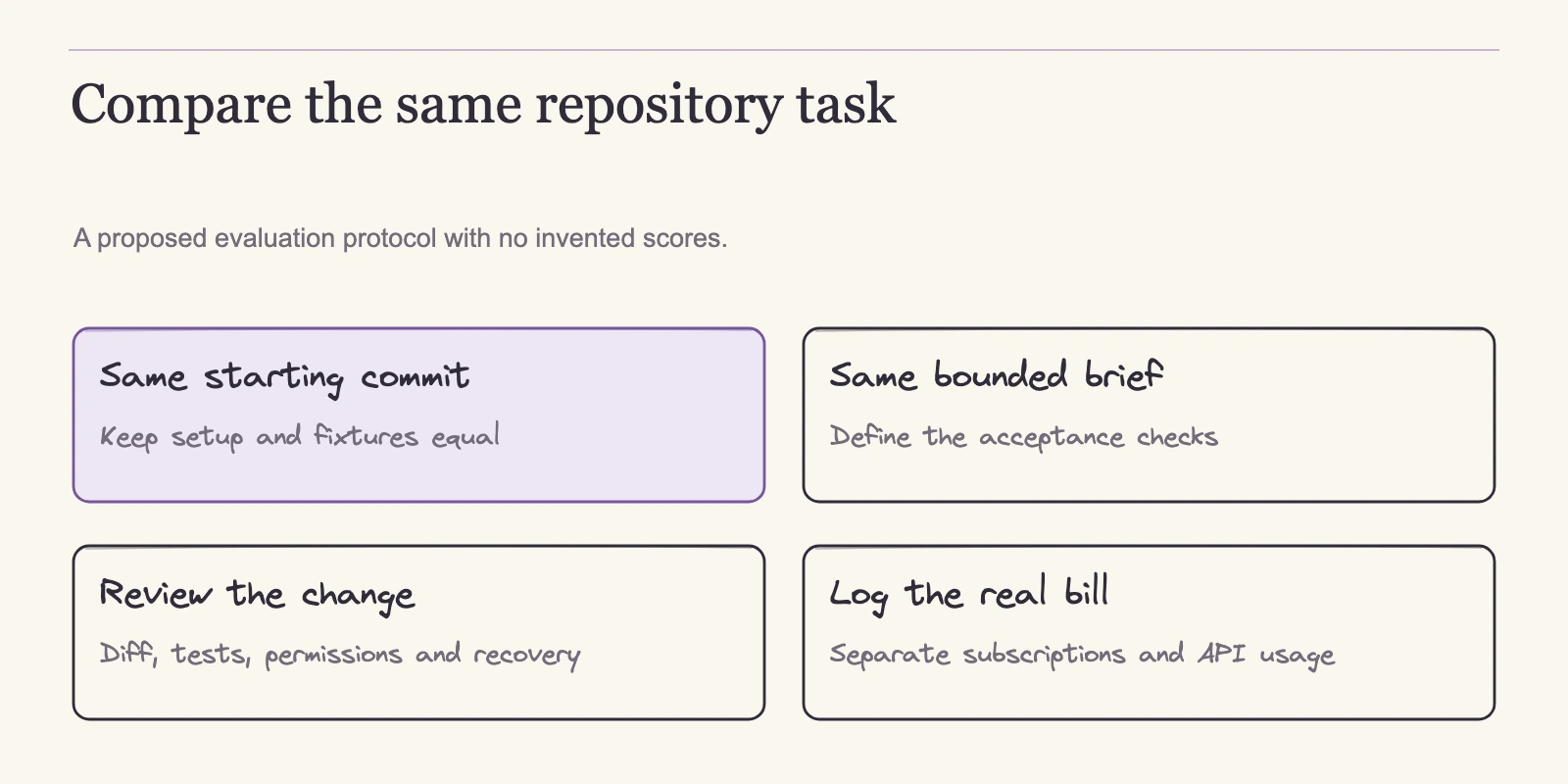
Because no controlled benchmark supports a winner, the practical tool is a recorded evaluation. Use the same repository, the same starting commit, and the same issue for both tools, and log the variables the documentation says matter. This is a proposed protocol, not an executed test.
| Field | Record |
|---|---|
| Starting commit | |
| Issue text | |
| Permission mode or approval settings | |
| Model and provider | |
| Context inputs supplied (files, mentions, references) | |
| Install commands | |
| Test commands | |
| Files changed | |
| Review time | |
| Total metered cost (/usage or account billing) | |
| Unresolved failures |
Leave scoring out; the worksheet is a decision record, not a race. Add one recovery exercise to the evaluation. Introduce a wrong requirement deliberately in a disposable copy of the repository, then watch whether the tool corrects the plan before implementing, what checkpoint or rollback scope restores, which files remain changed after the revert, what the Git diff shows, and whether checks rerun clean. That exercise reveals the recovery boundaries described above in a form your team can act on.
If the comparison extends beyond coding agents into the wider design-to-code pipeline, our analysis of how design-to-code tools differ by mechanism provides a broader frame for the same kind of evaluation.
Run this for one scoped task before committing a team workflow. When the approval prompts, the review surface, the rollback boundary, and the bill are all visible together, the choice tends to resolve itself.
Frequently Asked Questions
Is Claude Code only a terminal tool?
No. It also runs in VS Code and JetBrains extensions, a desktop app, and a browser. Most surfaces accept a Claude subscription or Anthropic Console sign-in, and terminal, VS Code, and JetBrains support third-party providers (overview).
Can either tool safely explore an unfamiliar repository before editing?
Yes. Claude Code's plan mode and Cursor's Ask are read-only. Broad codebase understanding is a vendor capability claim, not verified correctness, so start read-only, inspect what the tool reports, and authorize edits only after the plan looks right.
Do I need a separate payment for Claude Code?
No extra line item if you hold a Claude subscription. Claude Code is included in Pro, Max, and Ultra, is not shown for Free, and plan usage limits apply (pricing). API- or provider-authenticated usage is token-billed instead.
Can Cursor use models besides Grok?
On current plans, Plus is limited to Grok. Premium and above allow third-party models billed separately at API list price (pricing). Confirm the account's plan generation first, because legacy accounts use different pools.
Can checkpoint restore or /rewind undo any mistake?
No. Cursor's checkpoint restore reverts files, not chat messages, and is not a substitute for Git backups (agent documentation). Claude Code's /rewind restores tracked code and/or conversation, with limits for shell-only and some subagent or external edits. Both are conveniences; Git remains the real backup.
Do either tool automatically charge when included usage runs out?
There is no default automatic overflow in the reviewed documentation. Cursor describes continuing through prepaid credit, waiting for the weekly reset, or upgrading; legacy users can enable on-demand usage (usage limits). Claude Code's costs documentation describes adding usage credits (costs). Each path must be configured or chosen, so verify account settings before relying on it.
The Workflow Decision
Neither tool wins on code quality here because no executed benchmark supports that claim. The evidence points to a different decision principle: choose the harness whose control structure fits how your team approves changes and pays for usage, then evaluate the model choice within that harness. Claude Code gives subscription users an included allowance and application-enforced permissions, with /rewind for tracked code and conversation. Cursor offers tier-gated model access, a weekly included pool on current plans, and Ask, Plan, and Debug modes with file checkpointing. Both support subagents for wide changes, and both leave testing and review in your hands.
The concrete next step is to run one tool on a single scoped task in your own repository using the worksheet above. Set the rules in advance: which mode is read-only, what may execute automatically, which tests must pass, and what counts as the rollback point. Work through the documented flow, verify the result yourself, and review the recorded cost. That exercise produces the only evidence that matters for your team before you commit a workflow.