Creative tools & workflows
Best AI Music Generators: Songs, Soundtracks, and Editing
Suno, AIVA, SOUNDRAW, and Mubert Render compared by deliverable: songs, MIDI, soundtrack beds, and app work. Plans, credits, downloads, and rights included.
· · Diagram Studio Editorial
Pick the AI music generator that delivers the file you need, not the one with the most impressive demo. A podcaster who needs a 90-second bed for a monetized YouTube video faces a different question from a composer who wants a MIDI file to finish in a DAW, and the leading tools are built for those separate jobs.
This guide compares Suno, AIVA, SOUNDRAW, and Mubert Render by deliverable: complete songs, editable compositions, soundtrack beds, and long-form or app production. Facts come from the products' official pricing, help, and license pages inspected on 4 November 2026. No listening tests were run, so nothing here ranks how the tools sound; where official documentation cannot settle a question, the article explains what to check in a short trial.
Direct answer
There is no single best AI music generator; choose by deliverable. Suno handles complete songs with paid-plan downloads and editing access, and commercial permission attaches to songs downloaded while subscribed. AIVA suits editable compositions, with MIDI on every plan and audio or MIDI influence upload. SOUNDRAW's Mixer shapes soundtrack beds; Mubert Render's modes and Business tier fit long-form and app work. Verify current prices and destination-specific terms before subscribing.
Start With the Deliverable You Need
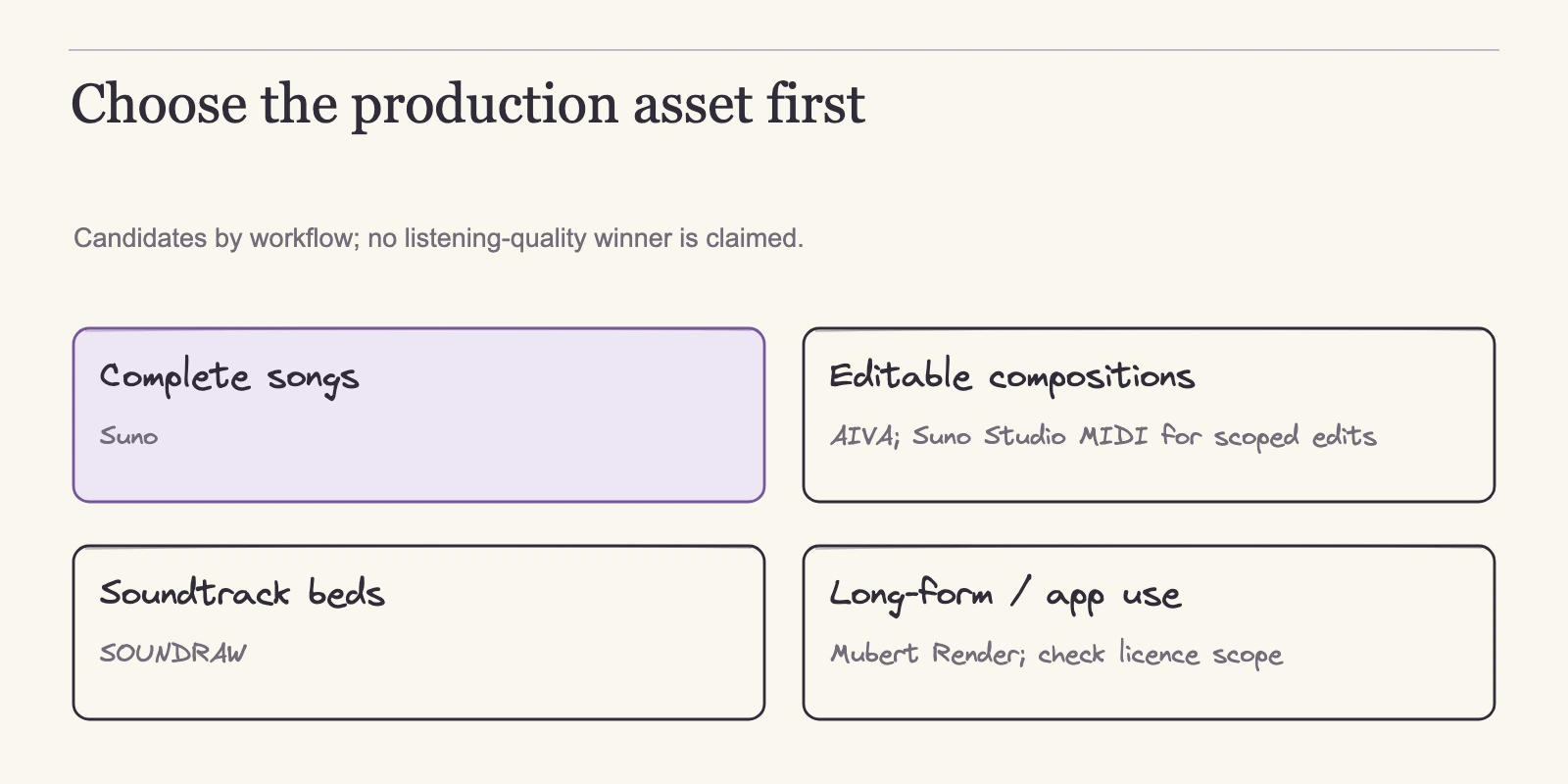
The four tools are not competing on the same task, so a single best pick rarely survives contact with a real project. Suno's pricing page treats generation as song creation: paid tiers include song downloads, and Premier adds Suno Studio for deeper editing and stem functions. AIVA's product page presents a composition workflow: create a style, upload an audio or MIDI influence, edit generated tracks, and download formats. SOUNDRAW organizes around soundtrack material, letting you generate by genre and then adjust instruments, intensity, and length in its Mixer.
Mubert's render FAQ documents Track, Jingle, Loop, and Mix modes, and its pricing matrix designates a Business tier for apps and agency work. What each tool lets you do after generation defines where it fits.
- Complete songs: Suno's song-first workflow, paid downloads, and Premier editing and stem functions.
- Editable compositions: AIVA's influence upload, editing controls, and MIDI output.
- Soundtrack beds: SOUNDRAW's Mixer adjustment of instruments, intensity, and length.
- Long-form or scaled production: Mubert's modes and Business tier.
These categories are entry points, not boundaries. SOUNDRAW's Artist workflow can turn a modified beat into a distributable song, and Mubert's Track mode produces long singles, so the labels describe the strongest fit rather than the only use. Two readers behind the same search can need opposite tools: a podcaster who wants a quickly adjustable bed for a monetized video and a composer who wants note data to open in a notation editor. A winner list built for one would mislead the other.
Udio is left out of the ranking. Its blog shows recent label announcements, but current download availability and plan-specific commercial export terms were not verified for this review. Until those facts are checked on the live site, recommending Udio on the same criteria would be a guess. The rest of this article assesses the four tools against the same checklist: what you can generate, what you can download, what you may do with the file, and how the bill is structured.
Complete Songs: Suno's Workflow and Allowances
Suno separates credits from downloads, and the distinction determines what a plan actually delivers. Generation credits pay for the attempts; downloads are a separate monthly allowance; commercial permission follows the download, not the generation. Reading only the credit number misleads, because regeneration and discarded takes consume credits while each kept song consumes a download.
The free tier gives 50 credits a day and no recurring download allowance. That does not mean a free account can never export a file: official help describes account-eligible trial downloads and a purchase option for additional downloads, with eligibility presented slightly differently across pages. The practical constraint is that trial downloads are noncommercial, and a reliable route for commercial delivery requires a paid-plan download. On the paid side, Pro costs USD10 monthly or USD8 a month billed yearly, which is USD96 for a full year, and includes 2,500 credits and 20 song downloads a month.
Premier costs USD30 monthly or USD24 a month billed yearly, USD288 for a full year, and includes 10,000 credits, 60 downloads, and Suno Studio with broader editing and stem functions. Both paid tiers add priority queues and paid model and editing access. Model names change often, and paying for model access is not a quality promise; the practical reason to choose Premier is the extra editing surface.
Credits do not roll over. Purchased top-up credits do not expire, but the current pricing note says they require an active subscription to use. Because generation and downloads are separate budgets, a user with thousands of credits can still hit the monthly download cap quickly if they keep many takes.
A standard v6 generation returns two candidate songs for 10 credits total, according to Suno's current help. Some image or video inputs raise the cost, and Max Mode costs more, so treat 10 credits per action as a baseline. A simple planning formula makes the economics visible: number of generation actions times 10 credits, where actions equal the songs you need divided by the share of generated pairs you expect to keep. If you need 10 accepted songs and assume you keep one song per pair, plan on 10 actions and 100 credits before edits.
Halve the acceptance rate and the credits double. The assumption is yours to set, not a measured result, and actual accepted yield on any plan is unverified.
Editing and stems add separate costs. Auto Split runs 50 credits per extraction for up to 12 stems on Pro and Premier. Split from Mix costs 10 credits per stem, and Advanced Split, a Premier-only tool, also costs 10 credits per stem. Getting a MIDI file from a split stem costs 10 credits. Stem downloads do not add separate song-download charges beyond the song's one download, per Suno's download help; they are still credit expenses on top of generation, except where Studio-specific export rules document a different charge.
Commercial permission is scoped to songs downloaded while subscribed. Suno's paid-use help, edited 3 September 2026, describes distribution to streaming platforms, use in film, TV, or games, and independent selling, subject to the service terms and your rights in your inputs. The page also separates commercial-use permission from copyright protection: the right to use a song is not the same as owning a defensible copyright. Newer help adds a further nuance for remixes. An original creator remixing their own work may qualify for commercial use with a paid-plan download credit, even when the original was made without a subscription.
Remixing another person's track does not qualify, and the terms restrict the collaborative Remix category to personal, noncommercial use. An older help page warns that subscribing does not automatically retroactively license songs made while free. Read together, those rules mean the eligible path is: keep your inputs clean, download while subscribed, and check the current terms rather than assuming a later subscription converts earlier files.
On vocals, Suno's documentation is explicit about the workflow even though it says nothing about quality. The current pricing page lists adding vocals and instrumentals as features, and Premier's plan card describes adding new vocals or instrumentals to existing songs, plus own-voice workflows. The v6 help documents Extend, Cover, and Replace Section controls and up to eight minutes per generation, while the v6 FAQ gives the vocal and lyric editing examples. What the official pages do not specify is how closely a generated voice matches a requested singer or style.
Voice steering and imitation remain trial items, but the broad vocal capability is documented, and a reader deciding between tools can act on it.
Editable Compositions: AIVA's MIDI and Influence Work
When the deliverable is the composition rather than the final recording, AIVA presents the most direct path in the official pages. Its product page names four capabilities that reinforce each other: create a custom style, upload an audio or MIDI influence to steer a generation, edit the generated track, and download files. MIDI is included on every plan, including free, which means even a no-cost account can bring a generation into a DAW and inspect its notes.
| Plan | Price basis | Downloads per month | Max track length | Formats | Usage |
|---|---|---|---|---|---|
| Free | EUR0 | 3 | 3 minutes | MP3, MIDI | Noncommercial with AIVA credit |
| Standard | EUR11/month plus VAT, billed annually (EUR132/year plus VAT) | 15 | 5 minutes | MP3, MIDI | Limited monetization on YouTube, Twitch, TikTok, Instagram |
| Pro | EUR33/month plus VAT, billed annually (EUR396/year plus VAT) | 300 | 5 minutes 30 seconds | All formats, including WAV | Vendor states ownership and full monetization |
These prices are EUR annual cards plus VAT, not verified monthly options, so the euro basis stays visible rather than a silent currency conversion. Standard at EUR11 a month billed annually totals EUR132 for a full year plus VAT; Pro at EUR33 a month billed annually totals EUR396 for a full year plus VAT. The download allowance scales with intent: three free downloads for testing, fifteen on Standard for occasional releases, and 300 on Pro for regular production. Track length grows from three minutes to five, then five and a half.
There is a significant correction to older comparison lists: AIVA is not the only tool in this group with official MIDI output. Suno's Studio can export MIDI from a split stem for 10 credits, as covered in the previous section. The difference is workflow and cost. AIVA generates MIDI directly as part of its composition pipeline, on every plan, and also accepts MIDI as an influence. Suno's route requires a paid Studio-enabled plan, stem extraction, and extra credits, and it works best when you already have a Suno song you want to turn into notation.
A composer choosing a home base should shortlist AIVA for direct composition work; a Suno user converting a finished song should treat Studio MIDI as a paid export option.
Pro also adds WAV delivery. WAV is a container, and AIVA's page does not publish the bit depth or sample rate, so the format matters for client compatibility rather than as a verified high-resolution specification. The licensing ladder follows the same pattern. Free carries AIVA credit and no commercial use. Standard permits limited monetization on YouTube, Twitch, TikTok, and Instagram. Pro uses ownership and full-monetization language. That language is AIVA's contractual offer, not an independent copyright determination, so check the current terms for your specific destination before committing work.
What no official page can tell you is fidelity. Influence upload and editing controls describe what you can attempt, not how well the tool executes. A composer who needs reliable note-level output should make that the first test: generate from an uploaded MIDI seed, edit a section, export the MIDI, open it in a DAW, and judge whether the notation is usable. That test takes one evening and answers more than any feature list.
Soundtrack Beds: SOUNDRAW's Mixer Workflow
SOUNDRAW approaches generation as an adjustable bed rather than a finished song. Its product page describes generating soundtrack and beat material by genre, then shaping it with a Mixer that adjusts instruments, intensity, and length. That is a different workflow from AIVA's: you shape a feel instead of editing notes. The page also separates Creator and Artist workflows, and the license explains why the distinction matters.
The license draws a clear line between using music as background in a creative project and modifying beats into songs for distribution. Artist distribution to streaming services requires modification so the final song is clearly different from the downloaded track. The examples given are added vocals, an instrumental performance, or a remix. Unmodified distribution, stock-audio resale, and Content ID registration are prohibited. Some third-party-owned video and synchronized uses require a permission inquiry, and unmodified meditation, lo-fi, and relaxation content carries a subscription-active condition. The lesson is that commercial is not one box to tick. The same bed can be fine for one project and unusable for a streaming release.
A realistic project makes this concrete. Suppose you need a 90-second bed for a monetized YouTube video: a calm opening that builds energy, one intensity reduction midway, delivered in the format your editor accepts. You would choose a genre, move the Mixer controls to the requested shape, and download the result. Before you rely on the file, confirm the price shown on SOUNDRAW's site for your territory, because a current USD checkout price was not verified for this review, then check the license terms for background use at your destination.
That last step is not boilerplate; the mix of permitted background use and restricted distribution is the core of SOUNDRAW's model.
SOUNDRAW also states that it trains on in-house music. Treat that as a vendor claim about provenance, not an independent guarantee of copyright safety. The Mixer tells you what you can change; whether those changes arrive smoothly in the downloaded audio is something only your own brief can establish.
Long-Form and Scaled Production: Mubert Render's Modes
When the project outgrows a single song or a two-minute bed, Mubert organizes around rendering modes rather than songwriting. The FAQ documents Track, Jingle, Loop, and Mix modes: jingles run up to 40 seconds, single generated tracks reach 25 minutes, and continuous mixes or API routes cover longer or automated needs. The pricing page names four tiers with published allowances.
| Tier | Price basis | Generations per month | Downloads per month | Commercial usage |
|---|---|---|---|---|
| Ambassador | Free | 25 | 5 | Not included |
| Creator | USD14 monthly; USD11.69 promotional annual | 500 | Not listed | Not included |
| Pro | USD39 monthly; USD32.49 promotional annual | 500 | Not listed | Included |
| Business | USD199 monthly; USD149.29 promotional annual | 1,000 | Not listed | Apps and agency work |
The inspected matrix does not list download counts for Creator, Pro, or Business, so those cells stay open rather than guessed. The annual figures are discounted, promotional equivalents and may change, which makes the monthly rate the reliable planning anchor. Business is the only card explicitly designated for apps and agency work. The pricing page's disclaimer blocks standalone redistribution, publishing to music-streaming platforms, stock-library distribution, and Content ID registration. A monetized video soundtrack is a different use from selling the generated music itself, and the page keeps those two uses apart.
The FAQ also describes generating from a reference track link. The vendor states that the system analyzes the reference's style, mood, and energy without copying the composition. Report that as the vendor's description of intended behavior, not a verified legal outcome. An audible watermark distinction also needs a fresh check: the current pricing matrix distinguishes watermark by tier, while the FAQ carries older watermark language. If you plan to rely on the free tier for a public test, look at the live pricing page first.
Mubert is the strongest fit in this comparison when the job is long, recurring, or embedded in a product. It is less useful when the task is composing a song you intend to edit note by note, because the published workflow emphasizes modes and reference steering rather than MIDI delivery.
Credits, Downloads, and Real Cost
Generation capacity, download allowances, and usage rights are three independent constraints, and that is why raw credit counts mislead. Suno's plan structure shows the pattern most clearly: regeneration and discarded runs consume credits, while each accepted download counts against a separate monthly allowance. A large credit balance does not imply a large number of finished tracks.
A worked example makes the billing structure explicit across the tools with published comparable rates. The following figures assume a full 12-month period and use the rates as listed on the inspected pages.
| Service | Plan | Monthly basis | Annualized amount | Billing note |
|---|---|---|---|---|
| Suno | Pro | USD10 | USD120 per year | Or USD8/month billed yearly, USD96 per year |
| Suno | Premier | USD30 | USD360 per year | Or USD24/month billed yearly, USD288 per year |
| AIVA | Standard | EUR11 | EUR132 per year | Plus VAT; billed annually |
| AIVA | Pro | EUR33 | EUR396 per year | Plus VAT; billed annually |
| Mubert | Creator | USD14 | USD168 per year | Promo annual: USD11.69/month, USD140.28 per year |
| Mubert | Pro | USD39 | USD468 per year | Promo annual: USD32.49/month, USD389.88 per year |
| Mubert | Business | USD199 | USD2,388 per year | Promo annual: USD149.29/month, USD1,791.48 per year |
The Mubert annual promotions may change, so the monthly prices are the safer baseline. AIVA's amounts exclude VAT, and Suno's yearly-billed rates produce lower totals when you commit to a full year. SOUNDRAW's current USD checkout price was not verified for this review; check the price shown on SOUNDRAW's site for your territory before relying on any plan figure. An unknown checkout price is not a free or discounted product; it simply means the comparison leaves that currency display to your territory's storefront.
Raw credits cannot be converted into a comparable cost-per-track across tools because each tool sets its own credit value and caps downloads separately. The useful comparison is the full set: what you can generate, what you can download, what you may do with the file, and how the bill is structured. A cheap plan with the wrong usage rights is more expensive than a higher plan that permits the destination you need.
Rights by Destination
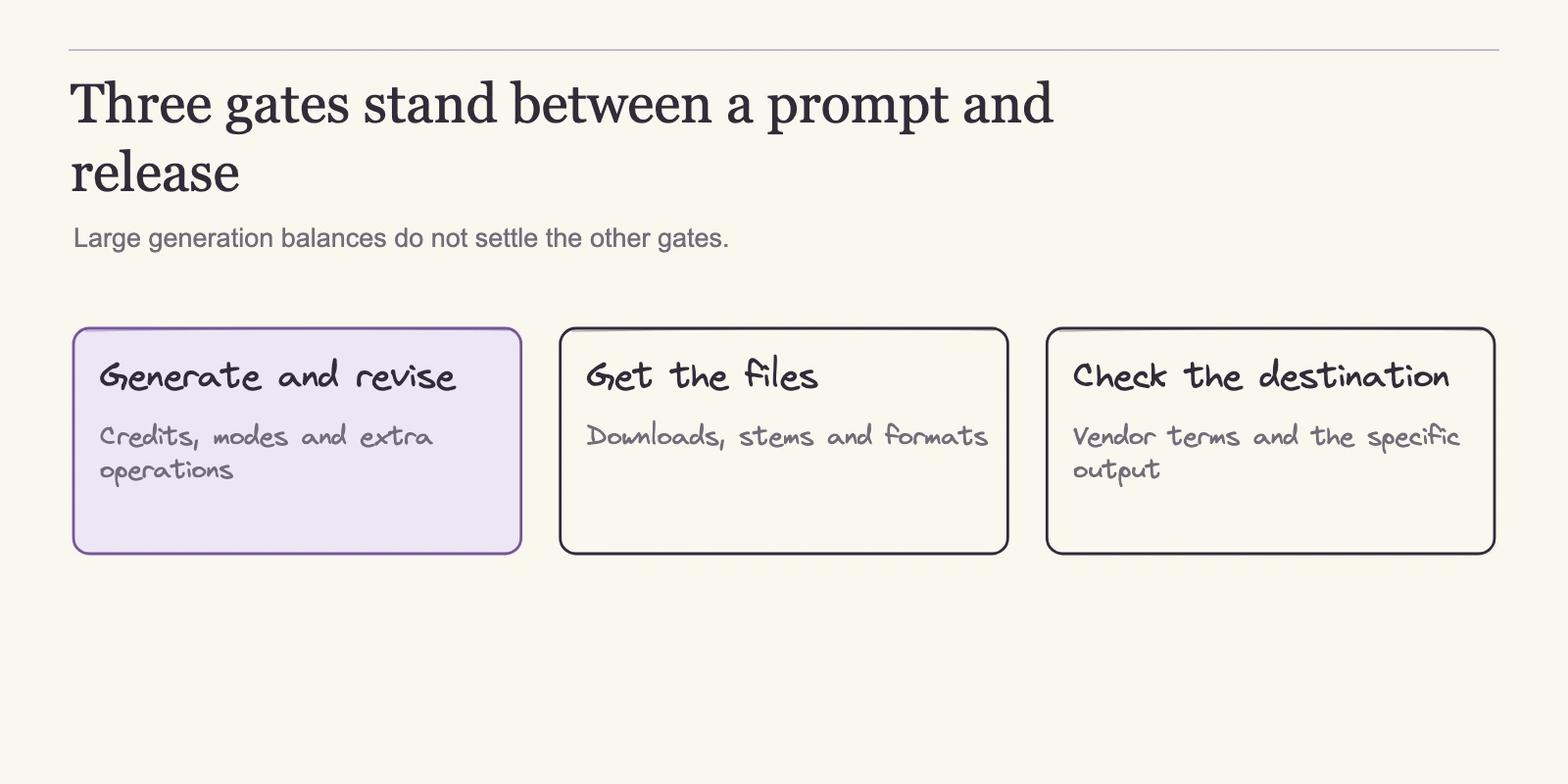
Commercial use is several permissions, not one. Whether an AI-generated track works for you depends on where it will go and whether you have modified it. The terms below come from the official pricing, product, license, and help pages cited throughout; they describe the publishers' rules, not legal advice.
Suno's commercial scope is the narrowest in one way: it attaches to songs downloaded while subscribed, not to everything a plan can generate. Eligible uses include streaming distribution, film, TV, or games, and independent selling, subject to terms and your input rights. Other users' remixes are excluded from monetization, and a later subscription does not retroactively convert earlier free files. AIVA pins Standard monetization to YouTube, Twitch, TikTok, and Instagram, and uses ownership and full-monetization language on Pro, which you should read as the vendor's offer rather than an independent copyright judgment.
SOUNDRAW's license requires modification for standalone music or streaming distribution, permits unmodified use only in licensed background contexts, and bans stock-audio resale and Content ID. Mubert includes commercial usage from Pro, designates Business for apps and agency work, yet prohibits streaming-platform publishing, standalone redistribution, stock-library distribution, and Content ID even on paid tiers.
| Destination | Suno | AIVA | SOUNDRAW | Mubert |
|---|---|---|---|---|
| Streaming platforms | Described for songs downloaded while subscribed; other users' remixes excluded | Standard: limited monetization on YouTube, Twitch, TikTok, Instagram; Pro: vendor full-monetization language | Distribution requires the final song to differ clearly from the downloaded track; unmodified distribution prohibited | Publishing to music-streaming platforms prohibited |
| Film, TV, or games | Described, subject to terms and your input rights | Not stated | Some synchronized third-party uses require a permission inquiry | Not stated |
| App or agency delivery | Not stated | Not stated | Not stated | Business tier designated for apps and agency work |
| Resale or Content ID | Not stated | Not stated | Stock-audio resale and Content ID prohibited | Standalone redistribution and Content ID prohibited |
A not-stated cell is an open check, not a permission. The same track can be fine for a sponsored video and barred from a streaming service, so verify the destination before you invest in a plan.
Run One Honest Trial
Documentation tells you what a tool can change, not how well the result serves your project. The fix is a short, structured trial against your own criteria. The brief below turns the controls described above into your own pass-or-fail test. It is a designed protocol, not a ranking or a listening verdict, and it has not been executed for this article.
Write six fields before you generate anything:
- Target duration
- Mood and energy curve, including where changes happen
- The specific edits you are likely to need
- Delivery files, such as MP3, WAV, or MIDI
- Intended destination, such as a client video, a streaming release, or an app
- A fixed prompt or task description, kept identical across tools
Then compare each shortlisted tool against that brief. Suno's paid editing access matters if you expect to revise a full song; AIVA's influence upload and MIDI output matter if you want note-level material; SOUNDRAW's Mixer matters if you need to shift instrument density, intensity, or length quickly; Mubert's modes and reference generation matter if you need long tracks or recurring production. Use the plan math from the previous section rather than comparing raw credit counts, because generation, downloads, and rights are separate limits.
Record each session the same way: number of takes, how many runs were discarded, time to an accepted output, the files you received, and the license result for your destination. One session per tool with a fixed task will reveal more about fit than reading another comparison.
FAQ
Can one of these tools produce a complete song with vocals?
Yes. Suno's paid tiers center on song creation, and its current help documents vocal and lyric editing, with Premier adding new vocals or instrumentals to existing songs and own-voice workflows. What official pages do not promise is how closely a generated voice matches a particular singer or style, so make voice steering the first item in your trial.
Which tool provides MIDI or editable composition files?
AIVA includes MIDI on every plan, even free, alongside MP3 and WAV on Pro, and accepts audio or MIDI influences. Suno also offers MIDI through Studio: extract stems, then choose Get MIDI for 10 credits. Choose AIVA for direct composition work; use Suno when you have a finished song you want to turn into notation.
Can I use the output on YouTube, Spotify, or client work?
It depends on the destination and whether the track is modified. AIVA Standard allows limited monetization on YouTube, Twitch, TikTok, and Instagram. Suno grants commercial permission for songs downloaded while subscribed. SOUNDRAW requires modification for streaming distribution, and Mubert prohibits publishing to music-streaming platforms even on paid tiers. Verify the exact destination against current terms.
What are the free-plan catches?
Suno free gives 50 credits a day with no recurring download allowance; some accounts can receive trial downloads or buy additional downloads, but commercial rights require a paid-plan download. Mubert Ambassador allows 25 generations and five downloads, noncommercial. AIVA free allows three downloads, noncommercial with credit. Free tiers fit workflow tests, not client delivery. SOUNDRAW's free-tier limits were not verified here.
Which tool handles long tracks, jingles, or app and agency work?
Mubert documents single tracks up to 25 minutes, jingles up to 40 seconds, Loop and Mix modes, and a Business tier designated for apps and agency work. AIVA's longest track is 5 minutes 30 seconds on Pro. Suno's pricing page does not state track durations.
Is Udio worth considering now?
Current download availability and plan-specific commercial export terms were not verified in this review. Udio's blog shows recent label announcements, but treat the service as needing fresh verification before it can be compared on the same criteria. Neither a shutdown nor fully confirmed export capability is established here.
Conclusion
No single AI music generator wins every job because the leading tools solve different problems: Suno for finished songs, AIVA for compositions you can continue editing, SOUNDRAW for adjustable beds, and Mubert for long-form and embedded production. The best generator for you is the one whose documented workflow matches the asset you owe the project, once you have confirmed the price units and the destination rights.
The concrete next step is the one-page evaluation brief. Write the six fields now: duration, mood and energy curve, the edits you expect, delivery files, the intended destination, and a fixed prompt. Open the shortlisted tool's current plan page and license terms for that destination, adjust the shortlist, then run one scripted trial per tool. The tool that satisfies your brief without a legal surprise is your best generator, whether or not it tops anyone else's list.