Creative tools & workflows
Best AI Voice Generators: Pronunciation, Control, and Delivery
Compare ElevenLabs, Murf, WellSaid, and Azure Speech on pronunciation controls, billing meters, licenses, and delivery workflow. Official pages, 4 Nov 2026.
· · Diagram Studio Editorial
Until you have run a real project through an AI voice generator, its demo clips tell you mainly that the company chose a good script and strong settings. The best AI voice generator for you is the one whose production mechanics survive a real project: correcting a mispronounced name, absorbing several retries without burning your plan, carrying a license that covers the channel you publish to, and exporting a file your edit accepts.
This guide compares ElevenLabs, Murf, WellSaid, and Azure Speech on those mechanics, using official pages retrieved on 4 November 2026. It does not rank voice naturalness, because no listening benchmark was run. Instead it gives you a structured way to choose and a short test you can run before you pay.
Direct answer
Choose by production mechanics, not demo audio. ElevenLabs fits teams that share one credit balance between studio and API; Murf Studio fits scripts that need video and music timelines; WellSaid fits heavy revision because paid plans meter downloaded audio; Azure Speech fits character-metered code or no-code audio tuning. Confirm pronunciation controls, plan quotas, and the commercial license for your channels. This guide compares documented workflows, not measured naturalness.
How production fit beats demo audio
Vendor demos are produced with different scripts, different settings, and different amounts of post-processing, so comparing them side by side tells you little. A more honest comparison is the system around each voice. Four questions determine whether a tool will carry a project from first read to final file:
- What can you fix in the delivery?
- What unit are you billed in, and what does a retry cost?
- What license comes with the generated files?
- How do files get exported, and who can access them?
These questions do not rank the sound of a voice. They ask whether the tool fits how you produce, which is the part you can verify before buying. The first one decides whether a flawed first read is an inconvenience or a dead end.
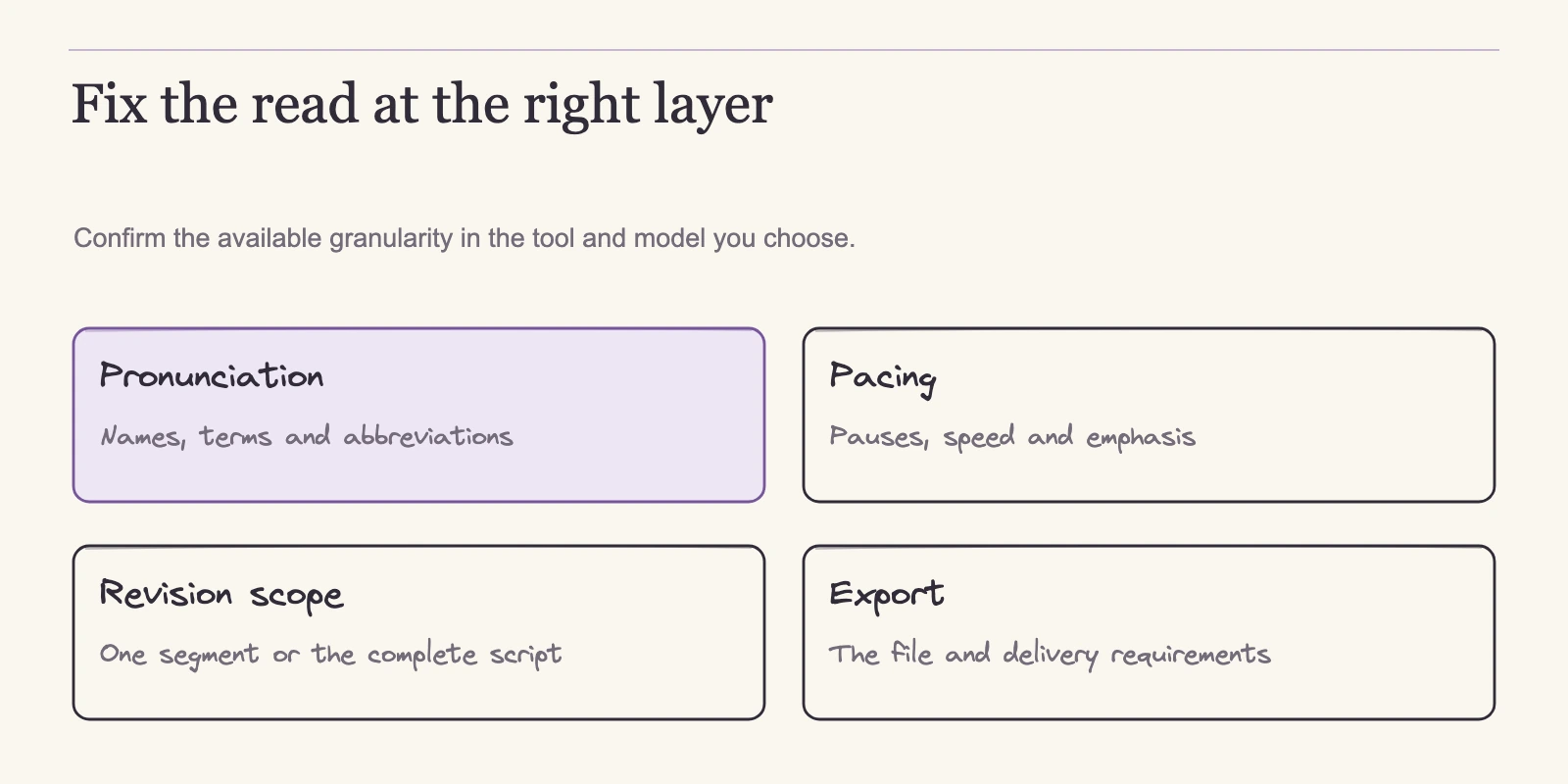
Pronunciation, pacing, and emphasis: what you can fix
A mispronounced product name, acronym, or homograph is where a narration project stalls. The tools in this comparison differ less in whether they offer correction than in how that correction is exposed and how widely it applies.
| Tool | Documented delivery controls | How pronunciation is corrected |
|---|---|---|
| ElevenLabs | Speed, stability, similarity, and style; speed range 0.7–1.2 with a v3 exception (TTS guide) | Alternative spellings, phonemes, break tags, and audio tags are supported only on certain models; verify for the model you plan to use |
| Murf Studio | Tone, speed, pitch, pauses, pronunciation, variability, and emphasis, subject to voice and plan (Studio basics) | The help guide does not specify word, sentence, or block-level correction; test granularity |
| WellSaid | English phonetic respellings via Replacements (Using Respellings) | Save entries to personal or team Pronunciation Libraries; English-only method |
| Azure Speech | Rate, pitch, volume, breaks, pronunciation, intonation, and style; feature support varies by voice (Audio Content Creation) | No-code editor and SSML, both requiring an Azure subscription and resource permissions |
Murf Studio’s guide gives the fullest single list, but the controls are not universal across voices and plans. ElevenLabs has visible delivery controls, yet pronunciation repair depends on the model, so a fix that works on one voice can disappear on another. WellSaid’s respelling workflow is concrete and reusable, with English as its boundary. Azure has both a high-level editor and raw SSML, but voice-level support varies, and the editor sits inside Azure’s tooling rather than in a video timeline.
That last distinction matters. A character meter does not make a tool code-only, and a no-code editor does not make it a multimedia production suite. Among the official pages reviewed here, Murf is the only one that describes placing voice blocks alongside video and music tracks. The correction workflow you choose also feeds directly into what a revision costs, so the billing meter is the next thing to compare.
Credits, minutes, or characters: what actually consumes your plan
List prices below come from official pages retrieved on 4 November 2026 and are before tax. Where a price could not be confirmed, the table says so.
| Tool | Unit | Confirmed list-price anchor |
|---|---|---|
| ElevenLabs | Monthly credits | Free $0/10,000; Starter $6/30,000; Creator $22/121,000; Pro $99/600,000; Scale $299/1,800,000; Business $990/6,000,000; Enterprise custom (pricing) |
| WellSaid | Downloaded finished minutes | Starter $19/month for 20 or $120/year for 240; Pro $49/month for 180 or $396/year for 2,160; Business $1,920/year per user for 2,880 downloaded minutes, up to five paid seats (AI voice pricing) |
| Azure Speech | Characters | Free F0 tier includes 0.5 million characters/month; paid tiers bill per 1,000,000-character units; exact US-region dollar rates not shown at review time (Speech pricing) |
| Murf | Not confirmed | Live pricing page returned no usable data on review day; use current quote flow |
Generation credits make retries visible
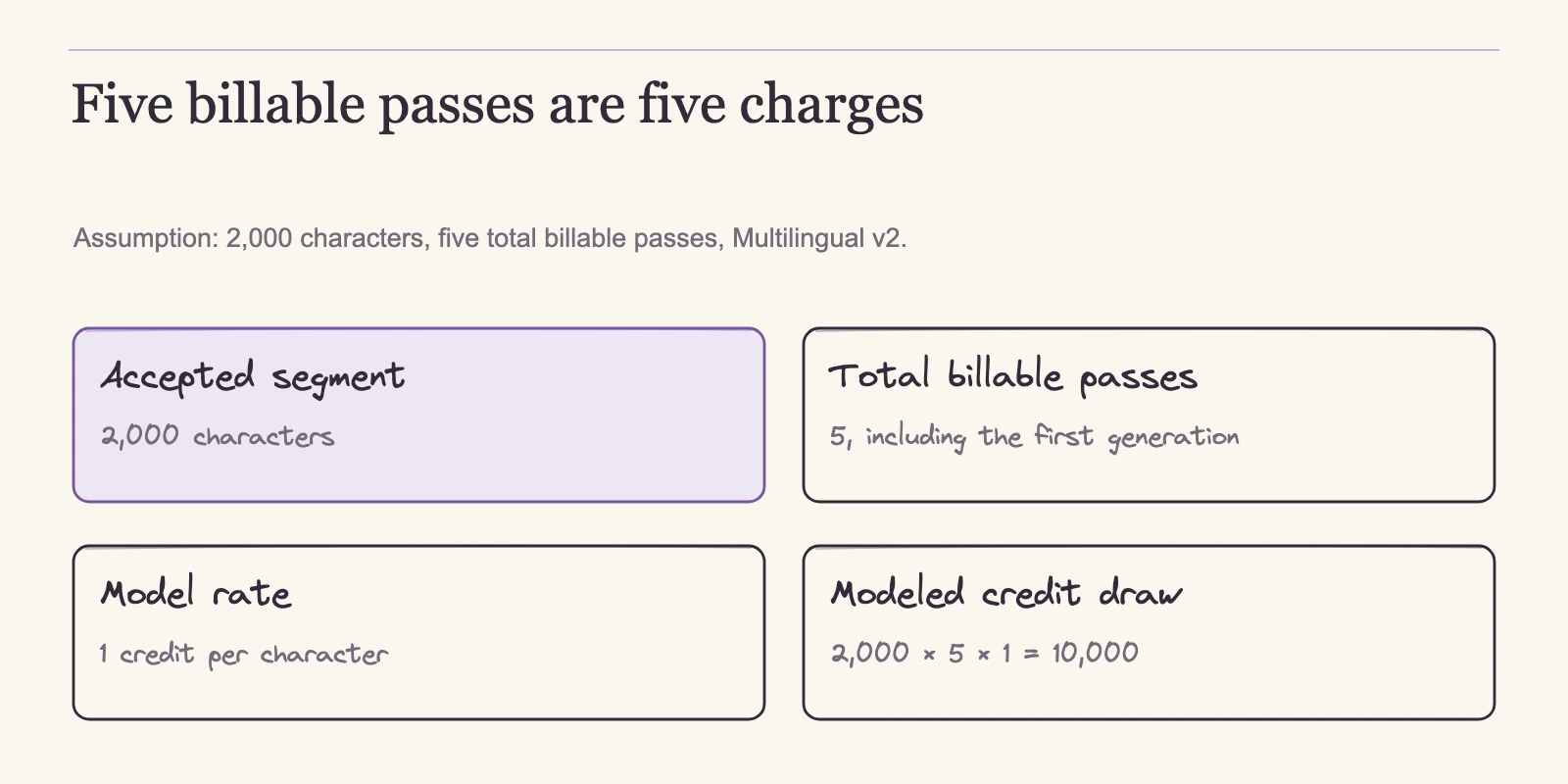
ElevenLabs combines platform and API usage in one credit balance. The plan table lists credits, not minutes, because the minutes you get depend on the product and model. One documented rate is Multilingual v2 at one credit per character; Flash and Turbo API ratios can differ.
To see what a revision loop costs, take the script length, multiply by the number of billable passes, then by the credit rate. A 2,000-character segment generated five times on Multilingual v2 consumes 2,000 × 5 × 1 = 10,000 credits, the full monthly allowance of the free plan. That calculation assumes five billable passes; some plans can include free regenerations under specific conditions, so confirm your plan’s rules rather than assuming every retry charges. Additional credit purchases are not uniformly priced across models and account types, so check the billing view for the model you use.
Annual billing pays 10 months for 12. The annual liability is the recurring monthly rate times 10: Creator is $22 × 10 = $220, equivalent to $220 ÷ 12 = $18.33 per month. Starter, Pro, Scale, and Business follow the same formula, giving $60, $990, $2,990, and $9,900 per year. These are arithmetic derivations, not checkout quotes. Taxes and regional pricing can change the final amount. The page also showed first-month offers next to an expired promotion banner, so treat recurring monthly rates as the baseline and confirm any promotion at checkout.
Downloaded minutes separate iterations from quota
WellSaid’s meter turns revision economics around. Paid plans advertise unlimited generation; the quota measures finished audio you download. Regenerating a segment until it sounds right does not reduce the download allowance until you export the accepted take. If you need five attempts for one accepted read, you pay for one download, not five.
Starter is $19/month for 20 downloaded minutes or $120/year for 240. Pro is $49/month for 180 or $396/year for 2,160. At full use, Starter’s annual price works out to $0.50 per downloaded minute ($120 ÷ 240), while the monthly price is $0.95 ($19 ÷ 20). Business is a per-user plan at $1,920/year, or $160 per month by division, and permits up to five paid seats, each with 2,880 downloaded minutes per year. It does not bundle five seats into one user’s price; five seats represent a separate $9,600 annual commitment. These are new-customer prices and exclude tax.
Character meters suit pipeline volume
Azure Speech bills by character in 1,000,000-character units. The F0 free tier includes 0.5 million characters per month for standard neural text-to-speech. Exact paid US-region dollar rates were not visible on the official page at review time, so use the live quote flow instead of relying on remembered or third-party numbers.
If you want to estimate free capacity, count the actual script including spaces and punctuation. A 1,500-word English script is roughly 7,500 characters, so the F0 allowance covers about 66 single plain-text passes: 500,000 ÷ 7,500 ≈ 66.7. That is an illustrative calculation for one pass, no SSML markup, no retries, and an eligible neural voice, not a guarantee of 66 finished narrations. Billable characters include spaces and punctuation, most SSML markup, and some special rules such as Chinese characters counting twice.
Character meters fit high-volume and automated workflows. The meter does not mean Azure lacks an editing surface, because Audio Content Creation exists. It does mean every regenerated take adds characters, so revision-heavy work needs a plan sized for retries.
Murf’s price gap
Murf’s current pricing could not be read from the official page on review day. The Studio guide documents the workflow, and the commercial help page covers licensing, but neither supplies current plan prices. Before comparing Murf on cost, open the live pricing page in a full browser, record the plan, quota, and billing period, and use that figure in your decision.
Choose the meter that matches how you revise
The cheapest headline price is not the deciding number. A team that regenerates many takes but downloads few files may prefer WellSaid’s downloaded-minute model. A team that polishes infrequently inside a timeline may tolerate a generation-credit model. A team that generates narration programmatically can size an Azure character budget from code. Choose the meter that matches how often you generate, discard, and accept audio.
Commercial use: what the license actually covers
A license is a set of gates, not a single permission. Three gates matter most: whether the plan grants commercial use of your generated files, whether certain channels or features are excluded, and whether you own the underlying voice. The summaries below are from vendor help pages, not legal advice.
| Tool | Commercial use on paid plans | Gates and exclusions |
|---|---|---|
| ElevenLabs | Paid plans include a commercial license, except Beta Services (commercial help) | Free or signed-out generation is not commercially licensed; noncommercial publication requires specified attribution. Audio generated during a paid subscription remains usable after the subscription ends. Audio generated before upgrading does not become licensed retroactively. Beta Services output cannot be used commercially or in production. |
| WellSaid | Paid Studio audio may be used commercially under the governing terms (commercial help) | Trial audio is not commercial. WellSaid retains ownership of its proprietary voices. |
| Murf | Paid Studio plans include commercial rights for generated voiceovers (commercial help) | Rights require original, noninfringing content. Broadcast to traditional TV networks, commercial radio, and major radio syndication is reserved to Enterprise. Third-party platform rules also apply. |
| Azure Speech | Not verified from the pricing page | Review current terms for your region, voice, and use case. |
The practical consequence is that free tiers and trials are evaluation environments. ElevenLabs free or signed-out output carries no commercial license; WellSaid’s trial gives three downloaded minutes per month without commercial rights; Murf ties commercial rights to paid Studio plans. Even on a paid plan, confirm the channel. Murf’s broadcast reservation is the clearest example of a license that covers web and client work but not every distribution outlet.
Voice ownership is a separate gate. WellSaid explicitly retains ownership of its voices even when customers may use the audio they create. The other official pages reviewed here do not state a common cloning or transfer standard, so if your project depends on replicating a voice, verify the vendor’s current cloning and transfer terms before production.
Getting files out: timelines, downloads, APIs, and seats
License terms decide where finished audio may go. Delivery paths decide how easily it gets there.
| Tool | Documented delivery path | Team and format notes |
|---|---|---|
| Murf Studio | Timeline with script blocks, media import, background audio, preview, and export (Studio basics) | Externally shared preview links are Enterprise-only. |
| WellSaid | Download-oriented studio (AI voice pricing) | Starter: 10 projects, 24 kHz. Pro: unlimited projects, up to 48 kHz. Business allows up to five paid seats at the per-user price. |
| ElevenLabs | Platform UI plus API, sharing one credit balance (pricing) | Scale includes 3 seats; Business includes 10; seat types and add-ons depend on plan (workspace docs). |
| Azure Speech | API plus no-code Audio Content Creation editor (Audio Content Creation) | Requires an Azure subscription. Custom/personal voices, hosting, avatars, and premium voice families are separate meters or restricted access. |
Among the official help pages reviewed here, Murf is the only one that describes arranging voice over video and music. If your project is an explainer with slides, this single tool saves a round trip. The limitation is sharing: external preview links are Enterprise-only.
WellSaid’s download-first model gives a clear queue for accepted files, and its plan caps decide how many projects and seats one subscription covers. ElevenLabs shares one balance between manual and scripted generation, which helps teams that mix editing with automation but requires attention to seat allocation. Azure is both an API and a no-code editor; the editor is a focused audio tuning surface, not a multimedia timeline.
Complete export-format lists were not on the pages reviewed, so confirm the file type your editing suite and hosting platform expect before committing.
Multilingual claims versus language lists
A model labeled multilingual is not evidence that it handles every language well. The safest question is what the plan actually lists, followed by a short code-switched test.
ElevenLabs documents Multilingual v2 in its credit meter at one credit per character. That tells you the price of multilingual generation, not how correctly it reads your specific material. If your narrator shifts languages inside a sentence, test that exact pattern.
WellSaid’s individual plans list English voices. They are not all-language plans; the enterprise offering is where all languages appear. Teams with broad multilingual needs should confirm which plan contains the required voices.
Azure Speech provides many neural voices across languages, but support varies by voice family, and some premium or custom voices sit on restricted meters. Check the specific language and voice for your audience rather than assuming the standard neural tier covers everything.
Murf’s language scope was not verified from the pages reviewed, so compare the live plan’s language list before assuming coverage. Whatever the list says, run a representative passage in each target language and listen for pronunciation, rhythm, and emphasis.
Run your own shortlist test before you pay
Because the evidence in this article is documentation, not measured audio quality, the final step is a test you run yourself. The protocol below is a designed resource, not an executed benchmark.
Build one script and use it unchanged across candidates. Include product names, place names, acronyms, homographs, and an emphasis-changing phrase. Log each tool’s default voice and speed. Then run a revision experiment: correct one pronunciation or emphasis error, preferably at sentence level, and regenerate only that segment. Record whether the fix stayed local, whether surrounding audio changed, and how many attempts the correction consumed. That count translates directly into the meter comparison above.
Judge the results with six criteria:
| Criterion | What to check |
|---|---|
| Script accuracy | Wording, numbers, and punctuation match the approved script. |
| Pronunciation targets | Proper nouns, acronyms, and homographs read correctly. |
| Pacing and pauses | Pauses land where the sentence meaning requires them. |
| Emphasis | The stressed phrase carries the intended meaning. |
| Export format | The delivered file works with your editing and hosting workflow. |
| License fit | The plan covers every channel where the final audio will appear. |
Take the same notes for every candidate. The tool that clears both the revision test and the license check is the one to buy.
Frequently asked questions
How do I compare voice generators without running a listening lab?
Compare the production system: documented controls, billing meter, license scope, and export path. Then run the same script through a shortlist and apply one targeted correction. That yields evidence you can use, while comparing demos produced by different companies does not.
Which tools document pronunciation fixes?
Murf Studio’s help lists pronunciation among its controls. WellSaid uses English phonetic respellings saved to personal or team Pronunciation Libraries. ElevenLabs supports alternative spellings, phonemes, and SSML-style tags on some models only. Azure’s Audio Content Creation and SSML adjust pronunciation, with voice-dependent support. Test your exact names and acronyms.
Do retries consume my quota on every plan?
No. WellSaid paid plans meter downloaded finished audio, so unaccepted regenerations do not consume quota. ElevenLabs credits can be consumed by generation, though some plans include free regenerations under specific conditions. Azure bills per character, so every retry adds characters. Check the exact plan and model rules.
Can I use generated audio commercially?
Generally yes on paid plans, with exceptions. ElevenLabs paid plans include a commercial license except for Beta Services. WellSaid paid Studio audio can be used commercially while the vendor keeps voice ownership. Murf paid Studio plans include commercial rights, but broadcast is reserved to Enterprise. Free tiers and trials generally have no commercial license.
Does a multilingual model cover every language?
Not necessarily. WellSaid individual plans list English voices; enterprise lists all languages. ElevenLabs Multilingual v2 lets you generate in multiple languages, but accuracy must be tested. Azure’s language support varies by voice. Check the plan’s actual language list and test a representative passage.
Why is PlayHT missing from this comparison?
PlayHT appears in many roundups, but its domains did not resolve and no current official pricing page could be verified on 4 November 2026. That puts its availability in question, not its quality. Treat it as unverified until an official page loads, and use the verified tools above for your comparison.
The choice that survives production
Choosing an AI voice generator becomes a smaller problem when you treat the voice as one part of a production chain. A correct first read is valuable, but it is usable only if you can fix what is wrong, afford the revisions, license the output for your channels, and get the files into your edit. That combination is what separates a tool that sounds good in a demo from one that finishes your project.
Start with a bounded comparison. Pick two or three candidates from the shortlist, run the script and the targeted correction, confirm the live price and license for the exact plan, and keep the results with your production notes. If the narration will accompany moving visuals, sketch a storyboard first so the recording has a timing map to follow. That test will give you a decision you can defend long after the next wave of tool launches.