Creative tools & workflows
Midjourney Pricing: Plans, GPU Time, and How to Pick the Right Tier
A plan-selection guide to Midjourney's four tiers: prices, included Fast GPU time, reference costs per task, renewal and top-up rules, and the privacy, revenue, and video gates that override the arithmetic.
· · Diagram Studio Editorial
Choosing a Midjourney plan looks like comparing four prices: $10, $30, $60, and $120 a month. The harder part is knowing what those dollars buy. Fast GPU time is metered per action, and one video batch can consume more minutes than dozens of prompts.
Privacy rules, revenue thresholds, and video resolution can force a higher tier even when your minute count fits a lower one. This guide uses Midjourney’s official documentation, reviewed on 4 November 2026. Prices are USD, and the figures are planning inputs, not measured generation. You will find the current plans, how Fast time is spent, expiry and top-up rules, a worksheet you can run with your own counts, and the conditions that override the arithmetic.
Direct answer
Midjourney's four plans are $10, $30, $60, and $120 a month, or $96, $288, $576, and $1,152 annually (20% off). Pick by estimating your monthly GPU minutes, not the tier label: count prompts, variations, edits, upscales, and video batches against included Fast time — Basic 200 minutes, Standard 15 hours, Pro 30, Mega 60. Then apply the gates: HD video needs Standard+, Stealth and the $1M company-revenue rule need Pro/Mega, and concurrency limits are per person. Verify current prices before checkout.
The Four Plans, Side by Side
Midjourney publishes four plans. The annual figure is an upfront payment, and the effective monthly column is simply the annual price divided by 12. It is not a separately billed monthly rate.
| Plan | Monthly | Annual upfront | Effective monthly (annual ÷ 12) | Included Fast time | Image concurrency | Video concurrency | Stealth |
|---|---|---|---|---|---|---|---|
| Basic | $10 | $96 | $8 | 200 minutes (3.3 hours) | 3 | 1 | No |
| Standard | $30 | $288 | $24 | 15 hours | 3 | 3 | No |
| Pro | $60 | $576 | $48 | 30 hours | 12 Fast or 3 Relax | 6 | Yes |
| Mega | $120 | $1,152 | $96 | 60 hours | 12 Fast or 3 Relax | 12 | Yes |
Source: Midjourney’s plan comparison. Subscriptions renew unless canceled.
Compared with twelve monthly payments, annual billing lowers the total invoice by 20%. At Standard, monthly payments add up to $360, while the annual price is $288, a saving of $72. The break-even point is $288 divided by $30, or about 9.6 months. That calculation assumes you keep the same tier for the full year and that no partial refund applies. The refund policy was not in the reviewed sources, so treat the 9.6-month figure as planning arithmetic, not a guarantee.
Two numbers in the table are easy to misuse. Concurrency is a simultaneous-job limit for one user, not a seat count. Basic and Standard can run three image jobs at once. Pro and Mega can run twelve in Fast mode or three in Relax. Higher concurrency does not let a team share one account. Midjourney’s terms allow one registered user per account, prohibit account sharing and resale, and state that a person may hold one account. A team should budget for separate subscriptions, not one pooled plan. Source: Midjourney’s terms of service.
The table also leaves out conditions that sit beside it. Basic renders video in standard definition. Standard and above can output HD video, but HD jobs run on Fast time only. Standard and above include unlimited Relax images. Pro and Mega add Relax support for SD video and include Stealth. When included Fast runs out, extra Fast costs $4 per hour.
The table lists allowances, not consumption. To judge whether 15 hours is plenty, you need to know what a prompt, variation, edit, or video batch costs. That is the next step.
What Actually Spends Your Fast Time
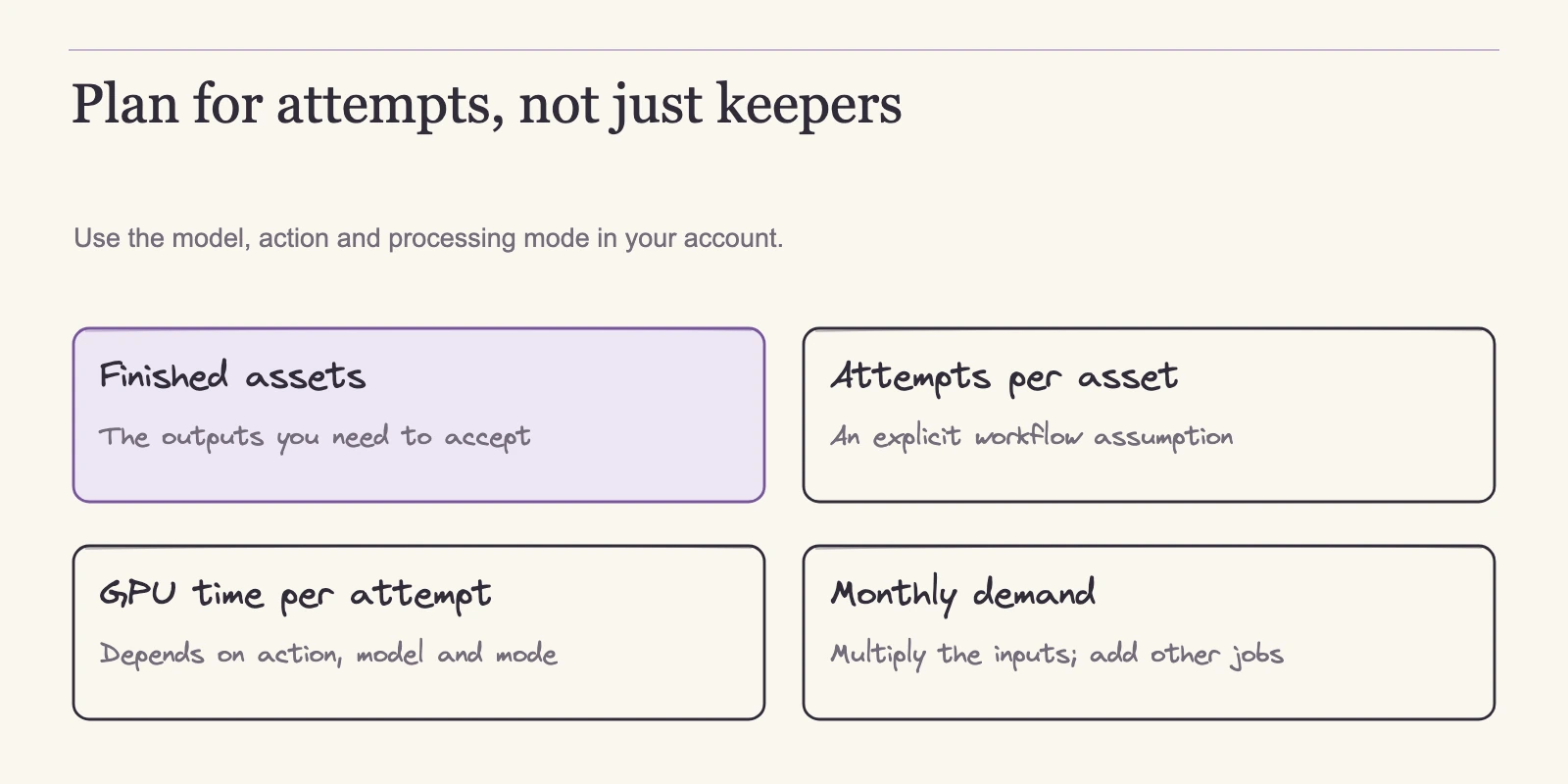
Fast time is metered by GPU processing, not by wall-clock time. The metered unit is the action, not the finished asset. Midjourney publishes approximate reference costs for common actions. Treat them as planning inputs, not as a meter reading on your account.
| Task | Approximate GPU minutes |
|---|---|
| SD prompt | 0.8 |
| HD prompt | 1.3 |
| Variation | under 1 |
| Grid separation or upscale, newer Discord flow | 0 |
| Creative or Subtle upscale | 2 |
| Edit, SD | 1 |
| Edit, HD | 2.3 |
| V7 OmniReference | 2 |
Source: Midjourney’s GPU speed guide. The zero-cost row covers grid separation and upscale in the newer Discord flow and should not be generalized to other flows.
Video generation is priced by batch, not by finished clip. A prompt at batch 4 returns up to four candidate clips. The default batch is 4 and can be changed to 1 or 2.
| Batch size | SD GPU minutes | HD GPU minutes |
|---|---|---|
| 4 | 8 | 26 |
| 2 | 4 | 13 |
| 1 | 2 | 7 |
Source: Midjourney’s video documentation.
A video job starts from an image and creates a five-second clip. You can add up to four extensions, each adding four seconds, for a maximum of 21 seconds. Extensions consume the same GPU amount as an initial video generation. The documentation does not define a separate batch price for extensions, so an estimate should count each extension as its own task. If the starting image is generated inside Midjourney, count that prompt separately. External source images are allowed subject to rights.
These costs pay for generation, not for what you keep. For SD, a batch of four candidates costs four times as much as a single candidate: 8 GPU minutes versus 2. In HD, the same comparison is 26 minutes versus 7, roughly 3.7 times. No examined source establishes a yield rate, so any estimate should count billable generation and leave selection to you.
Mode choice changes where the minutes come from. Fast draws on your included monthly allowance. Relax queues jobs instead. For images, Relax waits can range from zero to thirty minutes depending on load, with no guaranteed turnaround. SD video on Relax is available on Pro and Mega, but the documentation does not state a wait range for video. Relax does not support repeat or permutation jobs and excludes HD video. Turbo consumes double Fast time where supported, and the current GPU page lists V8.1 as excluded from Turbo, so do not assume the option exists for every model.
These costs create a wide spread. An SD prompt uses about 0.8 minutes, while an HD video batch of four uses 26 minutes, about 32.5 times more. Two subscribers on the same plan can have very different capacity. Standard’s 15 hours equals 900 minutes. At the reference rates, that is about 1,125 SD prompts, about 112 batch-4 SD video jobs, or about 34 batch-4 HD video jobs. Basic’s 200 minutes equals about 250 SD prompts or 25 batch-4 SD video jobs. These are capacity conversions from the published rates, not predictions of what you will approve.
Renewals, Expiry, and What Extra Fast Really Costs
The allowances also run on fixed clocks, and the clocks change what a quiet month can save for you. Unused included Fast time does not carry into the next subscription month, and annual plans are no exception. Paying annually lowers the total invoice but does not convert your allowance into a bankable year of GPU hours. The Fast allowance still arrives in monthly installments and expires at each subscription-month boundary. Budget against your renewal date, not a calendar-year mental model. Source: Midjourney’s Fast expiration article.
Extra Fast is a separate purchase with its own clock. It costs $4 per hour, expires 60 days after purchase, requires an active subscription, and is nonrefundable. Unit math: $4 divided by 60 minutes is about $0.0667 per GPU minute. That is conversion arithmetic, not evidence of a minimum purchase, a checkout tax, or a standalone pay-as-you-go product. Source: Midjourney’s extra Fast article.
Compare that with what included Fast works out to. Basic’s 200 minutes inside a $10 month is about $3 per hour. Standard, Pro, and Mega each bundle Fast time at about $2 per hour: $30 over 15 hours, $60 over 30, and $120 over 60. Extra Fast therefore costs about twice the included rate on Standard, Pro, and Mega, and about a third more than Basic’s included rate.
Small numbers show the scale. One HD video batch of four, at 26 minutes, equals about $1.73 of extra Fast. One SD prompt, at 0.8 minutes, equals about $0.05. These figures are arithmetic from the listed rates, not quotes. Frequency is what matters. An occasional top-up for a peak day will not move a budget. Routine top-ups need a real comparison.
When considering an upgrade, compare the full cost of staying on your current tier and buying the shortfall as extra Fast against the cost of the next tier. Use the published $4-per-hour rate as a normalized planning figure: extra Fast is a separate purchase, and the sources reviewed for this article do not verify a minimum cart size or a checkout quote, so confirm the actual top-up quantity and price before calling any configuration the cheapest. The smallest plan that covers your minutes is not automatically the cheapest configuration.
A Standard subscriber who needs 16 Fast hours in a month is missing 1 hour. At the normalized $4 rate, that hour costs $4, putting the month at $34 on paper, before checking the actual purchasable top-up quantity and quote. Pro would cost $60 and include 30 hours. A small recurring shortfall can therefore remain cheaper with extra Fast, even if the pattern repeats.
A Basic subscriber whose workload needs Standard’s 15 hours is missing 11.67 hours. At the normalized $4-per-hour rate, that shortfall comes to about $46.67 on top of the $10 Basic fee, or about $56.67 for the month on paper. Standard at $30 is cheaper on paper and removes the need to watch the extra-Fast clock, subject to confirming the actual purchasable top-up quantity and quote. That is the case where the upgrade wins on price alone.
Now take the solo workload from later in this article: 270 minutes, or 4.5 hours. Basic includes 200 minutes, so the gap is 70 minutes. At the normalized $4-per-hour rate, 70 minutes works out to about $4.67, putting Basic plus that top-up at about $14.67 for the month on paper. Treat that as a lower-bound comparison, not a confirmed cart total, until you check the actual purchasable top-up quantity and quote. The on-paper total remains well below Standard’s $30. The right answer is not obvious from the allowance table.
It depends on the size of the recurring gap, how often you hit it, whether you want a buffer, and whether the gates push you upward anyway.
Annual billing changes the invoice, not the meter. At Standard, 12 monthly payments cost $360, while the annual price is $288. The break-even is $288 ÷ $30 = 9.6 months, and the same math applies at every tier. Annual payment fits a subscriber who expects the same tier to still be right in month eleven. A workflow still finding its volume is better served by monthly billing, which keeps the option to downgrade open.
A Monthly Workload Worksheet You Can Run
Whichever billing term you choose, the same input drives the comparison: your own monthly task counts. The worksheet below turns those counts into a GPU-minute estimate.
The formula is simple: GPU minutes ≈ sum over tasks of (task count × reference minutes per task). Declare mode, model, resolution, and batch. Extensions, upscales, and retries are separate tasks. The result is billable generation, not usable output. If a task can run in Relax, do not count it in your Fast estimate. If Turbo is supported for your model, double the reference minutes, remembering that V8.1 is currently excluded.
Two assumptions need to be stated before any worked example. The documentation lists a variation as under one minute, so the worksheet below rounds a variation to 1.0 minute. Midjourney’s video documentation says an extension costs the same GPU amount as an initial video generation, but it does not publish a batch-specific extension price, so the worksheet keeps the per-extension cost as an unknown E. The examples insert 2 minutes as a replaceable placeholder for E, not a verified universal charge; replace E with your measured per-extension consumption or quote at your actual resolution and batch setting.
Solo image creator. A typical month: 150 SD prompts at 0.8 minutes each = 120 minutes; 60 variations at 1.0 minute each = 60 minutes; 40 Creative or Subtle upscales at 2 minutes each = 80 minutes; 10 SD edits at 1 minute each = 10 minutes. Total: 270 minutes, or 4.5 hours. Basic’s 200 minutes is not enough. Standard’s 15 hours leaves room, but Basic plus 70 minutes of extra Fast is cheaper on paper at the normalized extra-Fast rate, pending confirmation of the actual purchasable top-up quantity and quote.
The decision then comes down to whether you want the buffer, whether you expect volume to grow, and whether any gate applies.
Image production workflow. An image-only workflow: 300 SD prompts = 240 minutes; 150 variations = 150 minutes; 80 Creative or Subtle upscales = 160 minutes. Total: 550 minutes, about 9.2 hours. Standard fits the GPU math. On paper, it also beats Basic plus extra Fast at the normalized top-up rate: the shortfall is 350 minutes, about 5.83 hours, about $23.33 in top-ups, for a total of about $33.33 compared with Standard’s $30. Confirm the actual purchasable top-up quantity and quote before treating that as the final comparison. The workflow’s concurrency, privacy, or revenue situation may raise the requirement, and that is what the gates decide.
Video-heavy studio. A studio with heavier video work: 30 SD video prompts at batch 4 = 30 × 8 = 240 minutes; 10 at batch 2 = 40 minutes; 5 at batch 1 = 10 minutes; 20 extensions at E minutes each = 20 × E minutes; plus 150 SD prompts = 120 minutes. Total: 410 + 20 × E minutes. With the placeholder E = 2 minutes, the total is 450 minutes, or 7.5 hours; replace E with your measured per-extension cost when you have one. Standard covers the estimated minutes, but the video conditions can override that.
HD video requires Standard at minimum and runs on Fast only. SD video on Relax requires Pro or Mega.
Batch size is a real cost lever. Ten SD video prompts at batch 1 consume 20 minutes and produce up to ten candidates. The same ten prompts at batch 4 consume 80 minutes and produce up to forty candidates. No yield rate tells you which is more efficient. If you keep one clip per prompt, batch 1 is cheaper. If you need variety before selecting, batch 4 buys more options. The worksheet counts what you pay to generate, not what you approve.
Replace the numbers above with your own last-month counts to get a GPU floor. That floor is necessary but not sufficient, because several plan rules override it.
The Gates That Override Your GPU Math
Privacy: Stealth covers the website, not Discord
Stealth comes with Pro and Mega and controls whether your creations appear on Midjourney’s website. It does not remove material from public Discord channels, where anything you post remains visible to that channel. The documented private workflow uses web Create, DMs, or a private server with Stealth enabled. Changing default visibility affects future prompts; existing public items require manual changes. Content made private stays private on the site after a downgrade or cancellation, but deleting or trashing is not the same as making something private. Treat Stealth as a best-efforts nonpublication feature, not a universal confidentiality guarantee. Source: Midjourney’s Stealth overview.
Commercial use and the $1 million threshold
Midjourney states that images and videos you create remain usable after cancellation and that upscales made from other users’ work remain theirs. If your company’s annual gross revenue exceeds $1 million, company commercial work requires Pro or Mega, and the rule also applies to employees of qualifying companies. Sources: Midjourney’s commercial-use summary and Midjourney’s terms of service.
These are vendor conditions, not copyright clearance. Ownership runs to the extent permitted by law, remains subject to third-party rights, and Midjourney keeps a broad license to input and output content. Public content can be remixed by others. A paid subscription is not proof of registrable copyright or clearance of the images you feed in.
Video gates
Basic can generate SD video. HD video requires at least Standard and runs on Fast only. SD video on Relax requires Pro or Mega. Standard and above include unlimited Relax images. A video workflow can therefore force a higher tier than its total minutes suggest.
Concurrency, accounts, and automation
Concurrency limits are not seats. Image concurrency is 3 on Basic and Standard, and 12 Fast or 3 Relax on Pro and Mega. Video concurrency runs 1, 3, 6, and 12 across the tiers. A single registered user owns an account, one person may hold one account, and sharing or resale is prohibited. Team budgeting should count actual authorized individual users, not a pooled login.
There is no official Midjourney API. Automation, scripts, and third-party apps are prohibited except in rare explicitly granted cases. Subscription GPU time does not fund an authorized API workflow. Source: Midjourney’s community guidelines.
| If you need… | The documented requirement is… |
|---|---|
| Work off the public site | Pro/Mega Stealth, and avoid public Discord channels |
| Company commercial work above $1M gross revenue | Pro/Mega, including employees of qualifying companies |
| HD video | Standard minimum; Fast-only |
| SD video on Relax | Pro/Mega |
| More than 3 simultaneous Fast image jobs (Relax stays 3 on every tier) | Pro/Mega |
| Shared team access | None; each person needs their own account |
Putting It Together: Your Plan Decision
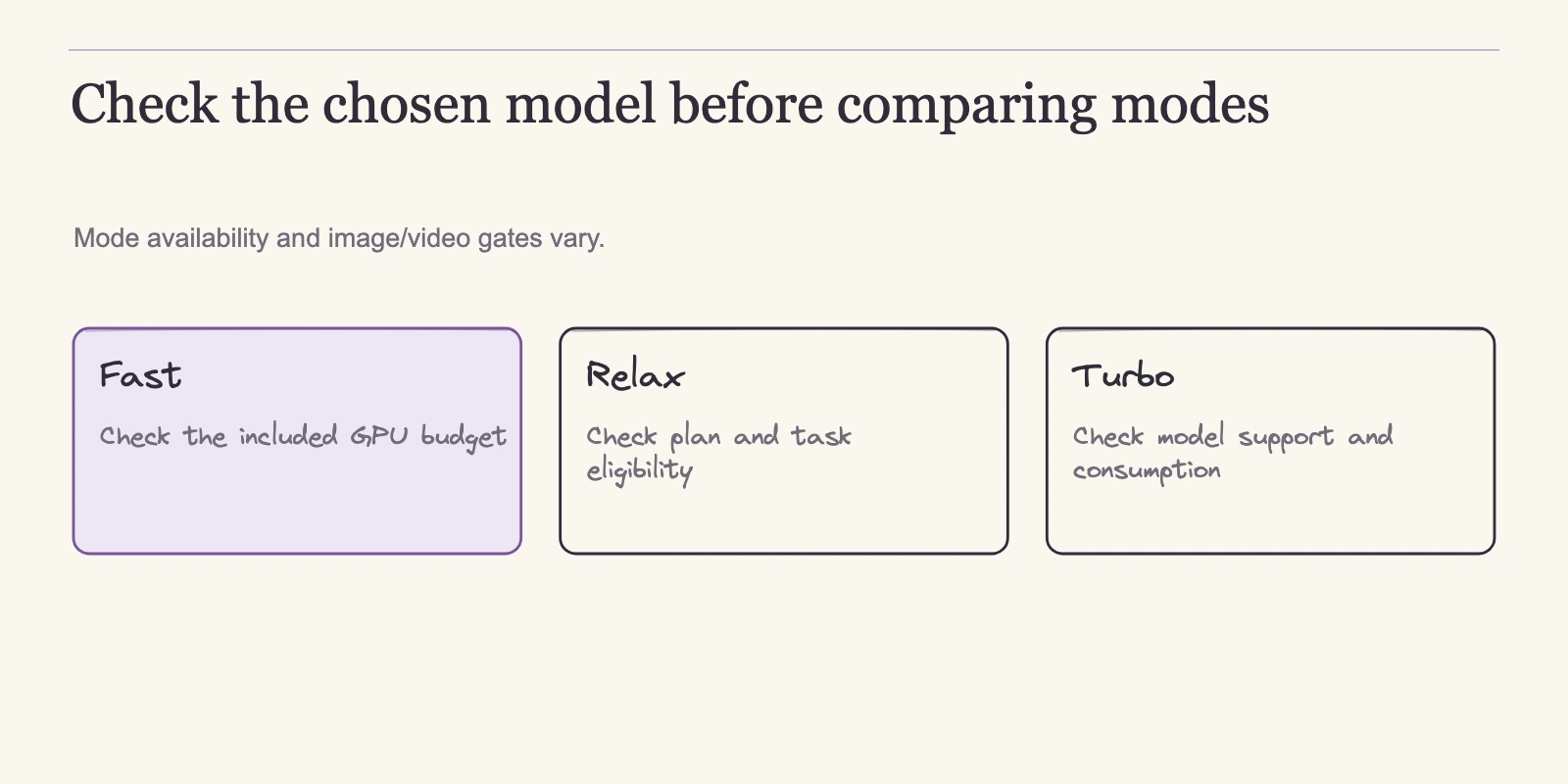
Run the worksheet first. Estimate your monthly Fast minutes, then compare that total with the included allowances: Basic 200 minutes, Standard 900, Pro 1,800, Mega 3,600. Then walk the gates.
Video comes first because it changes the minimum tier. HD means at least Standard, and it runs on Fast only. SD video on Relax means Pro or Mega. Then check privacy and revenue: Stealth, or a company above $1M gross revenue doing company commercial work, means Pro or Mega. Then check concurrency: more than three simultaneous Fast image jobs means Pro or Mega, and video concurrency needs are 1, 3, 6, and 12 by tier.
Then consider deadlines: if you can tolerate 0 to 30 minute Relax queues, those image tasks do not draw Fast time; if you cannot, budget Fast for peaks. Finally, compare your current tier plus extra Fast against the next tier before assuming an upgrade is cheaper, and pick the payment term by commitment horizon.
Two outcomes show why the gates matter. A solo image creator with no video work, no confidentiality need, and no revenue gate can compare Basic with a small top-up against Standard. In the 270-minute example, Basic plus the normalized extra-Fast equivalent of about $4.67 is cheaper on paper, subject to confirmation of the actual purchasable top-up quantity and quote; Standard provides a buffer and removes top-up management. A studio above the revenue threshold, or one that must keep work off the public website, is pushed to Pro or Mega even if its minute count fits a lower tier. Both conclusions come from the same procedure.
There is no universal best Midjourney plan. The right tier is the one that passes your minutes and your conditions at a cost you can compare directly.
Frequently Asked Questions
Which Midjourney plan should I choose?
Estimate your monthly GPU minutes from the reference costs, then check the gates. A solo image-only workflow often lands on Basic or Standard depending on its minute count and whether Basic plus extra Fast is cheaper. Pro or Mega becomes necessary for Stealth privacy, company work above $1M gross revenue, SD video on Relax, or more than three simultaneous Fast image jobs. No plan is universally best.
Is annual billing worth it?
Annual billing saves 20% at every tier. Standard costs $288 per year versus $360 paid monthly, and the break-even point is about 9.6 months, assuming you keep the same tier and receive no partial refund. Unused included Fast time still expires monthly. Choose annual only when you expect to stay subscribed for roughly ten months or more.
What happens to unused Fast time at renewal?
Included Fast time does not roll over into the next subscription month, and that rule applies to annual plans too. Budgeting should follow your renewal anniversary, not a calendar-year mental model. Extra Fast time follows a different clock: it expires 60 days after purchase and requires an active subscription.
How much GPU time does a video cost?
An SD batch of four costs 8 GPU minutes, a batch of two costs 4, and a batch of one costs 2. HD batches cost 26, 13, and 7 minutes respectively. A five-second clip can take up to four extensions, each adding four seconds, and each extension is priced like an initial generation. The documentation sets no separate batch price for extensions, so this article keeps the per-extension cost as an unknown E and uses 2 minutes only as a replaceable placeholder in its examples.
Should I buy extra Fast or upgrade?
Compare the full cost of staying on your current tier and buying the shortfall as extra Fast against the next tier. A Standard subscriber who needs 1 extra hour pays about $4, so Standard plus a top-up is cheaper than Pro. A Basic subscriber whose workload needs 15 hours would pay about $46.67 in top-ups, making Standard cheaper. These are normalized reference figures; confirm the actual purchasable top-up quantity and quote before treating the result as the cheapest configuration. Use your actual gap, not the plan label.
Do I need Pro or Mega for commercial work?
Not simply because the work is commercial. The documented revenue rule applies when your company’s annual gross revenue exceeds $1 million and the work is company commercial work; employees of qualifying companies are included. Pro and Mega also add Stealth. Midjourney states that created images remain usable after cancellation, but that is a vendor condition, not legal clearance.
The Next Step
The plan table, the GPU meter, and the gates are one decision procedure. Estimate the minutes your tasks consume, compare your current tier plus extra Fast against the next tier, let the documented rules override the math where they apply, then choose the payment term that matches your commitment. The tier label is the output, not the input.
Open Midjourney’s current plan and GPU pages, fill in the worksheet with your own counts, and check the prices again before you pay. The figures here are a dated 4 November 2026 snapshot, and they will change. The method will not.