Creative tools & workflows
Figma Alternatives: Pick the Tool That Matches Your Deliverable
A practical comparison of Penpot, Sketch, Lunacy, and Framer organized around the deliverable: editable UI file, reusable components, prototype, developer handoff, or published site, with costs in the units each vendor bills.
· · Diagram Studio Editorial
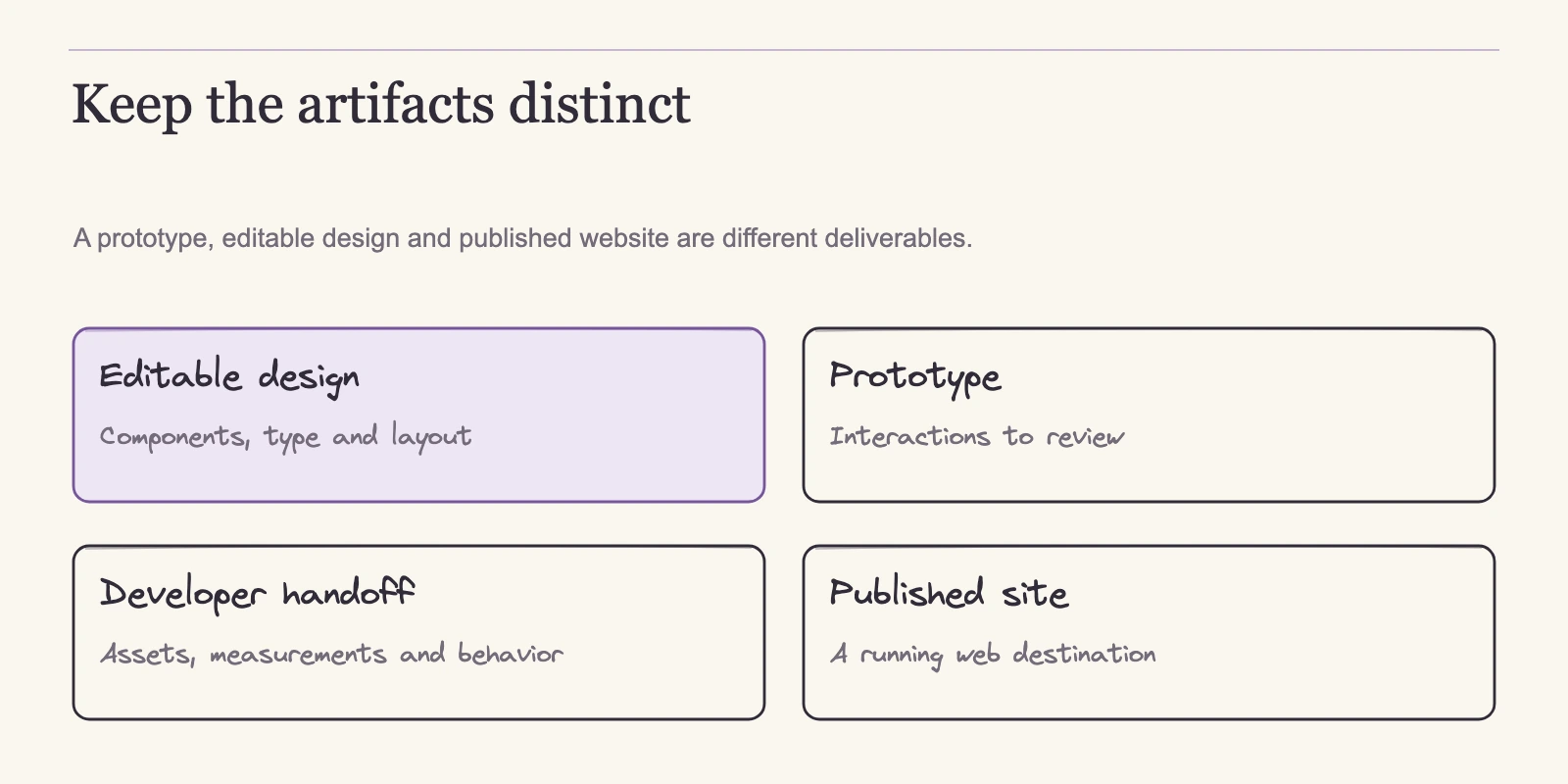
Your team is weighing a move away from Figma, and the first decision is not which tool to buy. It is what the next person in your workflow needs to receive: an editable UI file, reusable components and variables, a runnable prototype, developer-facing assets, or a published website. Penpot, Sketch, and Lunacy are file editors, and each bills in different units: member seats and storage for Penpot, editor seats for Sketch, and users plus cloud documents for Lunacy.
Framer is a site publishing and hosting platform whose plans are measured in sites, CMS collections, bandwidth, and editors. Match the tool to the deliverable, then compare the three file editors on operating model, file flow, collaboration, prototyping, handoff, and cost units. Pricing and documentation below reflect vendor pages as of 4 November 2026. No tool was installed or tested, so nothing here reports hands-on results.
Direct answer
Decide what the next person needs first: an editable UI file, reusable components, a runnable prototype, developer handoff, or a published site. Penpot, Sketch, and Lunacy are file editors but bill in different units: member seats and storage, editor seats billed yearly, or users plus a separate cloud option. Framer is a hosted site platform and offers no HTML export for self-hosting. Compare billing units, then run a small migration fixture before switching.
Choose the deliverable before you choose a tool
Price and feature comparisons mislead until the deliverable is fixed. A 30-person product team designing an application interface faces a different decision from a three-person marketing team that needs a landing page live this month. The first team needs an editable UI file, reusable components, a runnable prototype, and developer-facing assets. The second needs a hosted website that can be edited, published, and measured. These are two different tasks served by two different kinds of products.
Penpot, Sketch, and Lunacy operate in the first market. Penpot describes SVG-based vector editing, Flex Layout and CSS Grid, and prototype interactions built from triggers and actions such as navigate, open overlays, and launch URLs. Sketch authors and prototypes in its native Mac app and adds browser review under its subscriptions. Lunacy advertises browser and desktop apps with components, variables, auto layout, and clickable prototypes.
Framer operates in the second market: its pricing page measures plans in sites, pages, CMS collections, bandwidth, and editors, and its help center states that there is no HTML export for self-hosting because the product runs on platform-managed services. Those pricing units are structural evidence that Framer competes for your web property, not for your application's design file.
A team can need both outputs. A product group that designs an app can also publish a marketing site, and treating the choices as separate prevents category errors: the file tool and the site platform answer different questions, and the decision applies per job, not per team.
Five deliverable types cover most workflows, and naming them makes the comparison concrete.
- An editable native file is the working document designers manipulate.
- A component and variable system is the reusable layer that keeps spacing, color, typography, and interaction states consistent. Teams that need to map how these layers fit together can start with our guide to design-system diagrams.
- A prototype turns frames into a runnable flow with triggers, transitions, and interactions.
- Developer handoff is what engineers inspect and take away: browser canvases, exported assets, and layout structure they can interpret.
- A published site is a deployed, hosted web property with its own lifecycle.
Penpot, Sketch, and Lunacy serve the first four outputs, in different configurations. Framer serves the fifth. Capability claims are one thing; measured performance is another. Prototype fidelity was not measured for any of these tools, and no benchmark headline in this article should be read as a test result.
| Deliverable type | Tools to evaluate | What matters |
|---|---|---|
| Editable native file | Penpot, Sketch, Lunacy | Authoring surface and document format |
| Component and variable system | Penpot, Sketch, Lunacy | Whether the reusable layer survives migration |
| Runnable prototype | Penpot, Sketch, Lunacy | Triggers, transitions, and playback behavior |
| Developer handoff | Penpot, Sketch, Lunacy | Inspection surface and extractable assets |
| Published site | Framer | Site plans, CMS, and hosting boundaries |
With the markets separated, the working comparison is among the three file editors. Their daily operating models differ enough to change recommendations before cost enters.
How the three file editors operate
Platform fit is the first efficient filter. Where editing happens, which systems are assumed, and what infrastructure the vendor expects often eliminates candidates faster than pricing.
Penpot: browser-first editing with two self-host paths
Penpot runs in the browser, so a project is not tied to a specific operating system; confirm current browser requirements before rollout. Editing is vector-based, built on an SVG canvas, and its layout primitives are Flex Layout and CSS Grid, which means spacing and alignment behave the way web layout does. Its feature documentation describes prototype flows assembled from triggers and actions such as navigate, open overlays, and launch URLs.
Deployment is a separate choice. Penpot's technical guide documents running an instance on infrastructure you control with Docker Compose, Kubernetes, or other deployment routes, and describes cloud and self-host experiences as equivalent, with self-host images released after SaaS updates. The pricing page separately lists a Private Server offer at $50,000 per year for dedicated infrastructure, custom hosting, and enterprise support. Whichever route you choose, someone on your team still provisions infrastructure, monitors the instance, applies updates, and owns recovery. Self-hosting is an operational decision; it does not remove operations work, and the exact services included in the Private Server contract should be confirmed before purchase.
Sketch: Mac-native authoring with browser review
Sketch takes the opposite shape. Authoring happens in a native macOS app, where designers can work offline or in real time with a team. The paid subscription adds a browser app for viewing, inspection, comments, history, and handoff, plus an iPhone and iPad app that displays designs, plays prototypes, and mirrors from the Mac. A Windows or Linux user cannot author in Sketch; the browser surface is for reviewers and collaborators, not authors.
Pricing reinforces the divide. Standard, Professional, and Enterprise subscriptions are $12, $24, and $44 per editor per month, billed yearly, per the pricing page. A Mac-only licence at $120 per seat covers one year of updates and continued use of that version, but it excludes collaboration, online document sharing, and the iOS preview. That exclusion shapes the licence's fit: teams that need simultaneous editing or browser review effectively need a subscription, while a workflow that stays inside the Mac app may not.
Lunacy: browser plus desktop, with explicit free-tier limits
Lunacy's current product spans a browser version and desktop versions for Windows, macOS, and Linux, with real-time collaboration, components and variables, auto layout, online and offline modes, and clickable prototypes. That gives it the widest operating-system footprint among the three file editors. Browser and desktop authoring may not behave identically, so a team relying on one surface should confirm parity before committing.
Lunacy's free tier also carries visible limits: 10 cloud documents, 30-day history and deleted-document storage, and low-resolution library assets that require Icons8 attribution or linking. The free option is genuinely usable for small teams, but it is not unlimited.
Getting existing Figma files across
The migration paths documented by the vendors transform a file rather than copy it wholesale. Each route converts something and leaves rework elsewhere. These are vendor-published descriptions; no file was converted for this article.
Penpot's migration guide tells teams to audit components, tokens, and plugins before moving, and names the biggest structural change: Figma Auto Layout becomes Penpot Flex and Grid. For complex files and libraries, it recommends the Penpot Exporter plugin. A static route through PNG or JPG preserves only a rendered picture, useful for reference but not for ongoing design work. SVG sits between the two: an SVG transfer can keep editable vector geometry, but it does not carry Figma's component, variable, or Auto Layout system. The guide also covers Tokens Studio JSON and native Figma variable pathways. None of these routes promises conversion fidelity; expect cleanup wherever layout logic changes meaning.
Lunacy's release notes document .fig file import and announce that Figma import over API has been deprecated because of limitations and recurring issues. That is a vendor-described pathway, not a test result. Lunacy's FREE-format specification confirms that the native format can open and save .sketch files, with documented constraints such as nested or rotated artboards and overrides. A .sketch export therefore does not guarantee that every Lunacy feature survives or that Figma rebuilds every component.
Sketch does not advertise a Figma import path on its pricing page. If import matters to you, that is a reason to check Sketch's current import documentation with a sample file before you commit, not evidence that the feature is missing. Framer's round trip with Figma files was not part of this comparison; its deliverable is a hosted site rather than an editable file.
| Tool | Intake path | What to expect |
|---|---|---|
| Penpot | Exporter plugin for complex files or libraries; token and variable pathways; SVG/PNG/JPG static transfer | Auto Layout maps to Flex/Grid; layout cleanup expected; raster suits reference; SVG keeps geometry but not the component/variable system |
| Lunacy | .fig file import; API import deprecated; opens and saves .sketch | Sketch-format constraints on nested or rotated artboards and overrides |
| Sketch | No import path shown on pricing page | Verify current import documentation with a sample file |
| Framer | Not a file editor | Hosted sites only; no HTML self-host export |
File movement alone does not make a team productive. The next question is who can edit, view, and comment, and which roles change the bill.
Who edits, who reviews, and which unit is billed
Collaboration differs in the unit that is scarce. Penpot counts members, storage, and recovery time. Sketch counts editor seats and subscription features. Lunacy counts documents, history, and asset resolution. Framer counts sites, bandwidth, and workspace seats. Reading each tier on those units prevents surprises later.
Penpot Cloud Professional is $0 per user per month with up to eight team members, unlimited viewers, 10 GB of storage, and seven-day autosaved version and recovery windows. A ninth member means the team has outgrown the free tier; the next step is Unlimited or Enterprise. Unlimited costs $7 per editor per month, capped at $175 per month, with 25 GB of storage and 30-day windows. There is no file-count limit beyond what storage allows, so 10 GB or 25 GB is the real ceiling. Teams that mostly share and review can stay at zero until growth hits the member cap.
Sketch's subscription carries the collaboration layer. Standard at $12 per editor per month billed yearly includes real-time collaboration, unlimited documents, free viewers, and free developer handoff. Professional at $24 adds SSO and permission groups; Enterprise at $44 adds SCIM and BYOK, and Private Cloud is custom-quoted. The Mac-only licence includes none of those collaborative features.
Lunacy Free allows 10 cloud documents, 30-day history and deleted-document storage, and low-resolution library assets that require Icons8 attribution or linking. Pro at $11.99 per user per month billed yearly adds editable vector assets, AI upscaling and background removal, and removes the attribution requirement. Unlimited cloud documents and history appear as a separate Add cloud option, not as an automatic part of Pro; the reviewed pages do not state its price.
Framer treats workspace seats separately from site plans. A free workspace without active subscriptions supports up to three editors. On a paid plan, the workspace owner is free, additional editors cost $20 per month, and content editors cost $10 per month; viewers are free. Paid editors can design, edit content, and publish, while exact permissions depend on role and plan, so confirm the roster before checkout.
| Tool and plan | Who can edit | Limits that matter |
|---|---|---|
| Penpot Professional ($0) | Up to 8 team members | 10 GB; 7-day version windows; unlimited viewers |
| Penpot Unlimited ($7/editor, capped $175) | Per editor | 25 GB; 30-day version windows; unlimited viewers |
| Sketch Standard, Professional, Enterprise ($12/$24/$44, yearly) | Editors on subscription | Free viewers; tier controls SSO, SCIM, BYOK; yearly commitment |
| Lunacy Free | Users on free plan | 10 cloud docs; 30-day history; low-res assets require attribution |
| Lunacy Pro ($11.99/user, yearly) | Users on Pro | Editable vector assets; no attribution; Add cloud separate and unpriced |
| Framer workspace | Free: up to 3 editors; paid: owner free, editors $20 | Viewers free; comment rights vary; site fee billed separately |
Collaboration shapes how people work together; handoff determines whether engineers can consume the result. A team can love an editor and still stall when developers cannot get what they need.
What developers actually need at handoff
Engineers consume design output in three ways: an inspection surface where they open a file, read properties, and pull assets; a structured canvas whose layout primitives already speak web terms; and a finished site delivered on the vendor's hosting. Each tool in this comparison provides one or more of those, and knowing which form you need decides the handoff discussion.
Sketch's browser app gives developers a viewing, inspection, commenting, history, and handoff surface while designers stay in the Mac app. Standard includes that handoff at no extra fee. The pricing page establishes the surface; what every export preserves still deserves a check on your own file.
Penpot is SVG-based, and its Flex and Grid layout primitives are aligned with CSS. An engineer who thinks in web layout can read spacing and alignment in the same vocabulary the eventual CSS will use. That aids interpretation, but the concrete deliverable still has to be defined: exported SVG assets, inspection properties, and whether the structured layout can be reused in your component system. That is the check to run, not a marketing phrase to accept.
Lunacy's native FREE format is openly documented, which gives engineers a documented file structure to inspect. What matters in practice is whether the assets and layout data you need can be extracted for your stack; include that in the acceptance fixture rather than assume it.
Framer states its exit boundary plainly: it does not offer HTML export for self-hosting because the product relies on platform-managed services. A team needing a downloadable codebase or a self-hostable site will not get it from Framer. Developers can inspect and iterate on published pages inside the platform, but the deliverable ends at the hosted site.
| Handoff form | Tool | What developers can do |
|---|---|---|
| Inspection surface | Sketch subscription | View, inspect, comment, browse history, take handoff material |
| CSS-aligned structure | Penpot | Read layout in Flex/Grid terms; inspect the vector canvas; verify exports in a fixture |
| Documented file structure | Lunacy | Inspect the open FREE format; verify extractable assets in a fixture |
| Hosted site | Framer | Publish and iterate in the platform; no HTML self-host export |
For a deeper look at what generated output needs to satisfy before it behaves like production code, see our design-to-code mechanisms guide. With the handoff form fixed, the last major filter is price, and price only makes sense in the units each vendor actually bills.
Compare costs in the units each vendor bills
Prices below come from the vendors' published pricing pages as of 4 November 2026. Penpot's page states its prices in US dollars; the other quotes appear as published on each vendor's page. No subscription was purchased and no invoice was produced, so the examples are arithmetic based on quoted rates rather than bills. Checkout commitments, discount rules, and taxes were not verified.
Penpot Cloud Professional costs $0 per user per month, with the eight-member, 10 GB, and seven-day caps already noted. Unlimited costs $7 per editor per month, capped at $175 per month. The formula is: monthly cost = min(editors × $7, $175). Ten editors pay $70; 30 editors pay min($210, $175) = $175. The cap binds at 25 editors, because 25 × $7 = $175. Enterprise costs $25 per member per month, and the Private Server offer is $50,000 per year. Self-management still adds infrastructure and operations work under whichever deployment route you choose.
Sketch's editor seats are sold in annual commitments. Standard is $12 per editor per month billed yearly, Professional $24, and Enterprise $44. Six editors on Standard commit to 6 × $144 = $864 for the year, about $72 per month. The yearly commitment is the tradeoff. The Mac-only licence at $120 per seat covers one year of updates and continued use of that version, with no collaboration, online sharing, or iOS preview.
Lunacy Pro is $11.99 per user per month, billed yearly. Eight users commit to 8 × $143.88 = $1,151.04 for the year, a monthly equivalent of about $95.92 for comparison, not a line on an invoice. Unlimited cloud documents and history are a separate Add cloud option whose price is not stated on the reviewed pages. Free accounts allow 10 cloud documents, 30-day history, and low-resolution library assets that require attribution. Budget for the add-on as an unknown before comparing Pro with another tool.
Framer separates site fees from workspace seats. On the pricing page's yearly view, Basic is listed at $10 per month with two CMS collections and 50 GB of bandwidth; Pro is $30 with ten collections and 100 GB; Enterprise is custom-priced. The workspace owner is free on a paid plan, additional editors are $20 per month, and content editors are $10 per month. For five full-authoring users on Basic, that means one owner plus four additional editors: $10 for the site plus 4 × $20 = $80 in seats, or $90 per month equivalent, before content-editor or add-on fees.
The three-editor allowance belongs to a free workspace without active subscriptions; it does not carry over to a paid plan. Confirm the role roster, billing cadence, and taxes before budgeting.
| Plan | Rate | Assumptions | Example |
|---|---|---|---|
| Penpot Unlimited | $7/editor/month, capped $175 | Commitment terms not verified | 30 editors → min($210, $175) = $175 |
| Sketch Standard | $12/editor/month, billed yearly | Yearly commitment | 6 editors → $864/year = $72/month equivalent |
| Lunacy Pro | $11.99/user/month, billed yearly | Add cloud separate and unpriced | 8 users → $1,151.04/year = $95.92/month equivalent |
| Framer Basic plus editors | $10 site/month + $20/editor | Yearly-billing view; owner included; role entitlements vary | 5 full-authoring users → $10 + 4 × $20 = $90/month equivalent |
The pattern is which unit grows with the team. Penpot's cap rewards large teams, but its free tier stops at eight members. Sketch commits every editor to a year. Lunacy's headline price hides an unquoted cloud option. Framer's bill grows with both site needs and headcount. Calculate the team's actual size and usage before comparing totals, and remember that migration time and retraining are costs no pricing page shows.
Price narrows a shortlist. A conversion test is the only way to tell whether a candidate preserves the work, and a small fixture can give you that evidence before a team-wide change.
Run a small acceptance fixture before switching
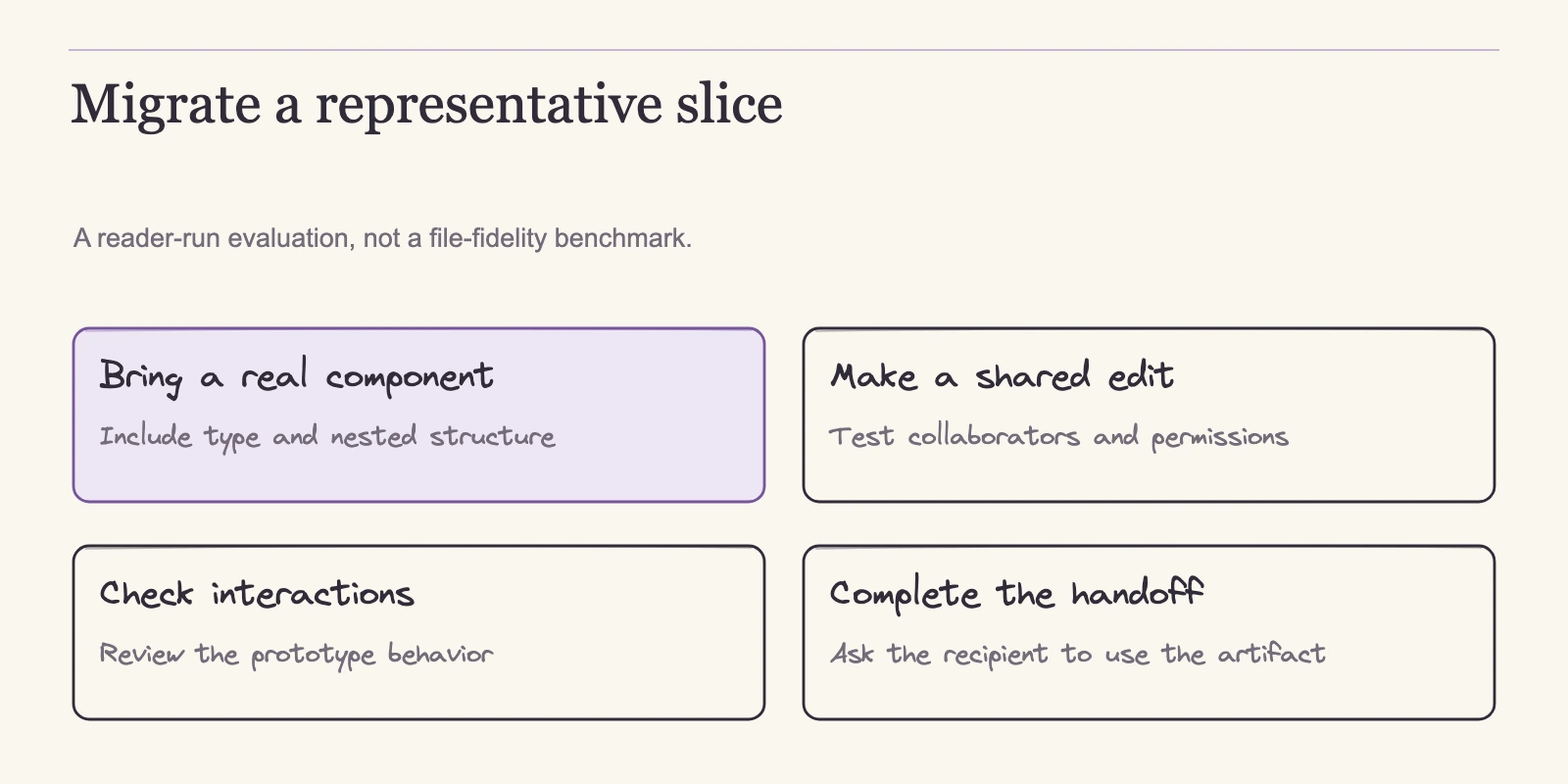
No conversion test was executed for this article. The process below is a reader-run method, not an observed result. Build a small but representative fixture and run it in the candidate tool before making a team-wide change.
A useful fixture holds the structures where migration guides predict change: one responsive frame, a nested layout such as a card inside a list, component variants, variables and text styles, a short prototype flow, and one reusable asset. Record what the vendor's documentation says should happen, then compare that with what actually happens.
| Check | What to record |
|---|---|
| Responsive frame | Do dimensions and resize behavior survive? |
| Nested layout | Do child layers, alignment, and spacing survive? |
| Component variants | Are variants intact and editable? |
| Variables and text styles | Do values and references carry over? |
| Prototype flow | Do triggers and interactions behave after import? |
| Asset | Can the asset be opened and exported cleanly? |
| Developer reuse | Can a developer inspect the file and pull what is needed? |
Use one table per candidate, record the tester and date, and keep the result cells empty until the conversion runs.
Then apply the decision rule. If the tool matches your deliverable and platform, and no mismatch exists in collaboration or billing, staying on Figma is defensible. If a mismatch exists, the fixture tells you whether the shortlisted tool solves it. A clean import of simple shapes does not prove complex libraries will survive. Let the developer check reveal what vendor phrases like "ships to code" deliver for your stack.
Frequently asked questions
Which of these tools can replace Figma for everyday collaborative UI design?
Penpot, Sketch, and Lunacy are the file-editor candidates. Penpot runs in the browser with a $0 team tier, Sketch pairs native Mac authoring with browser review, and Lunacy offers browser and desktop apps. Framer is a site platform, not a general UI-file editor. Choose by the deliverable your team must produce.
Can I bring Figma files into these tools as editable work?
Penpot's migration guide expects cleanup and maps Auto Layout to Flex and Grid. Lunacy documents .fig import and can open and save .sketch with constraints. Sketch does not advertise a Figma import path on its pricing page, so confirm its import story directly with a sample file. Every documented route is a transformation, not a copy.
What limits do the free tiers actually have?
Penpot Professional allows up to eight team members, 10 GB of storage, and seven-day recovery windows. Lunacy Free allows 10 cloud documents, 30-day history, and low-resolution library assets that require Icons8 attribution. Framer's free workspace supports up to three editors. None of the free tiers is unlimited.
Is Framer a Figma alternative?
Only when the deliverable is a published website. Framer bills sites, CMS collections, bandwidth, and editors, and its help center states that it does not offer HTML export for self-hosting. For an editable application UI file or a design system, a file editor such as Penpot, Sketch, or Lunacy matches the job better.
Do these tools run on our team's operating systems and infrastructure?
Penpot runs in the browser and can be self-managed on your infrastructure or bought as a paid Private Server. Sketch authors natively on Mac, with viewing and inspection in the browser on subscription plans. Lunacy runs in browsers and on Windows, macOS, and Linux. Framer runs as a hosted platform. Confirm current browser minimums and roles before committing.
What should we check before switching our team?
Build the acceptance fixture: one responsive frame, a nested layout, component variants, variables and text styles, a short prototype flow, and an asset. Convert it in the candidate tool and verify editability, preservation, and developer reuse. Record who ran the check and when. Decide only after you see the results.
Make the call after you test the shortlist
The decision principle holds together: classify the deliverable, narrow by platform and collaboration, compare cost in the units each vendor bills, then verify the migration path with a small fixture. If your team is designing an application UI and wants browser-based editing, Penpot or Lunacy deserve the first shortlist; if your designers are Mac-native and accept a yearly seat commitment, Sketch fits. Framer belongs to site projects. If the fixture passes where it matters, you have evidence to migrate. If it fails, staying on Figma is the defensible outcome until a candidate answers the mismatch.
Build the fixture with one representative frame and run it against your shortlist this week, record the results, and only then change licensing, onboarding, or team workflow.